






Capybara Clicker 2 starts with one capybara, one point per click and a shop full of upgrades. Tap to build your total, invest in stronger clicks or automatic production, and turn achievement rewards into a very different-looking capybara. The sequel gives you more than a bigger number to chase: you can work toward specific skins, accessories, backgrounds, animations and weather.
Play it here on Brainrot Clicker, then use the guide below to plan your first purchases. It fits both our Clicker Games and Idle Games collections, with active tapping and automatic production working side by side.
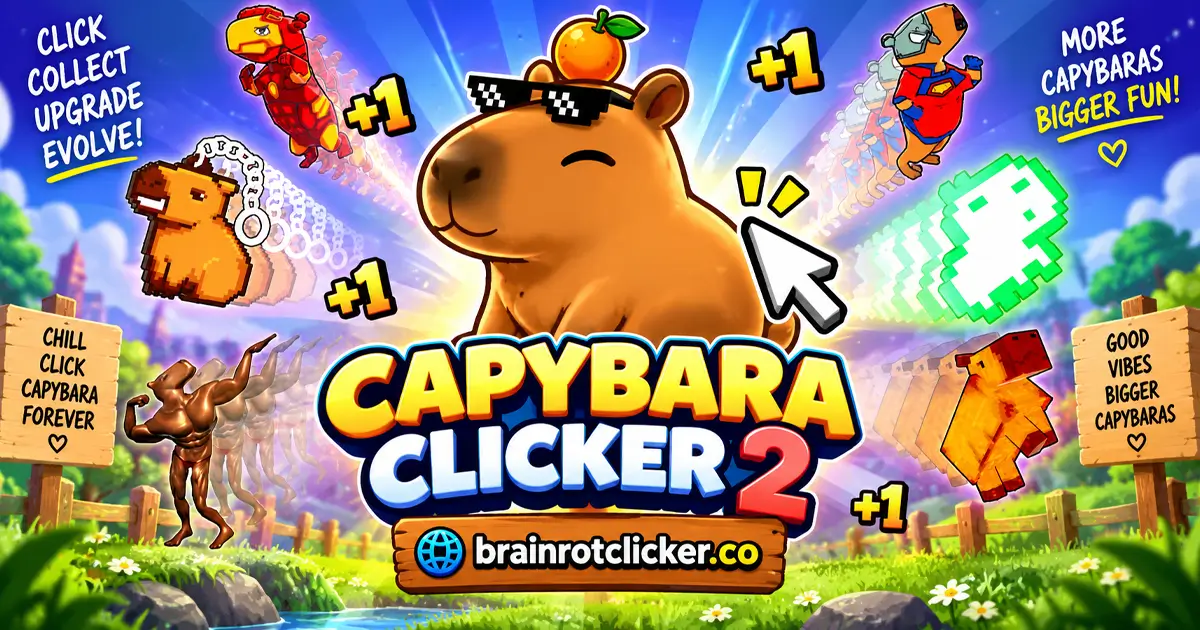
What Is Capybara Clicker 2?
This is a single-player incremental game: your earnings buy improvements that help you earn more. You begin by clicking the large capybara. Once you buy automatic production, the total also rises on its own while the game is running.
There is no opponent to defeat in the opening loop. The decisions are about spending: increase the value of each tap, strengthen production per second, or make a few purchases toward an achievement reward. The trophy menu turns those choices into clear targets instead of leaving every unlock a mystery.
How to Play Capybara Clicker 2
- Start with the capybara. Click or tap the large capybara to earn your first points. Watch the total at the top of the screen.
- Buy a Cursor. Save 30 points for the first Cursor. It adds one capybara to each normal click, taking the starting click power from one to two.
- Add Auto Click. Buy the first Auto Click for 110 points. It adds one capybara per second, so the counter can grow without constant tapping while the game is running.
- Use the clicking bonus. Keep clicking to fill the left-hand meter. When the 2× effect activates, use the increased earnings to work toward your next purchase.
- Compare the next upgrades. Read each card's current price and whether it improves clicks or production per second. Mr. Clicker and Capybara Farms are the next early examples of those two upgrade types.
- Follow an achievement goal. Open the trophy menu and choose a clear target. Buying Cursor five times within one ascension unlocks Red Skin; buying Auto Click five times unlocks Bushes.
- Customize and continue. Open the customization menu to explore unlocked items, then return to earning and reinvesting. Check the Ascend information before considering a later reset.
You do not have to buy exactly one of everything. A short tapping session and a longer idle session benefit from different purchases. Start with an affordable improvement, check what changed, and decide on the next one using the current shop prices.
Controls and Screen Layout
| Action | Desktop | Phone or tablet |
|---|---|---|
| Earn points | Left-click the large capybara | Tap the large capybara |
| Buy an upgrade | Click its affordable card | Tap its affordable card |
| Open achievements or customization | Click the trophy or character icon | Tap the matching icon |
| Explore more cards or items | Scroll the panel or drag its scrollbar | Swipe the panel or use its scrollbar |
| Close a menu | Select its X or displayed cancel control | Tap its X or displayed cancel control |
No keyboard controls are needed for the main click-and-upgrade loop. On a smaller screen, landscape orientation makes it easier to read the shop and keep the capybara visible.
Read the three earning numbers correctly
The top total is your current spending balance. Click Power tells you what a tap earns, while Capybaras per Second shows automatic production. Spending points lowers your balance, but the purchased improvement raises the relevant earning rate.
For example, one Cursor takes normal click power from 1 to 2. One Auto Click adds 1 per second. Adding one Capybara Farms raises that automatic rate from 1 to 11 per second. These are different improvements; a larger balance alone does not tell you which upgrade is working hardest.
Upgrades: Click Power vs. Automatic Production
The first four upgrades make the two paths easy to understand. These are their first-purchase prices, before repeat purchases raise the cost. The effects shown are the base additions, not the temporary doubled display.
| Upgrade | First price | Base addition | Main use |
|---|---|---|---|
| Cursor | 30 | +1 per click | Active tapping |
| Auto Click | 110 | +1 per second | Steady production |
| Mr. Clicker | 750 | +5 per click | Active tapping |
| Capybara Farms | 1,200 | +10 per second | Steady production |
Cursor and Mr. Clicker improve the points you earn by tapping. Auto Click and Capybara Farms improve production per second. An automatic upgrade does not require you to keep pressing the capybara to produce its normal income while the game runs.
Repeated purchases stack the improvement, but the next copy costs more. For instance, the first Cursor costs 30, then the next costs 36. Auto Click starts at 110, followed by 132. Use the live number on the card for your next decision rather than treating the opening price as permanent.
Later upgrade examples
The shop continues with stronger versions of both earning types. The following readable cards show how the scale grows; this is not a complete list of every upgrade. Their purchase prices also increase as you buy more.
| Upgrade | Base addition per purchase |
|---|---|
| President Clicker | +100 per click |
| Capybara Pump | +200 per second |
| King Clicker | +1,000 per click |
| Capybara Factory | +5,000 per second |
| Emperor Clicker | +9,000 per click |
| Capybara Pyramid | +25,000 per second |
| Pope Clicker | +75,000 per click |
Those large additions are useful only in relation to their current cost and your earning rate. A high-tier name is not automatically the next sensible purchase, and an older card may still be affordable enough to help you reach it sooner.
How the 2× Clicking Bonus Works
The vertical meter on the left fills as you click the capybara. Filling it activates a temporary 2× effect, shown by a brighter background and doubled earning displays. Keep an eye on the meter during an active session instead of assuming the higher values are permanent upgrades.
The bonus affects both earning readouts. A normal click power of 2 becomes 4, and automatic production of 1 per second becomes 2 while the effect is active. When comparing shop cards, remember that their written additions are base values: the active bonus can make the result on the main display look larger.
This meter is not the same as the Current Multiplier beside Ascend. You can have the clicking bonus active while that longer-term multiplier still reads 1×. Treat them as separate systems, not two labels for the same reward.
Achievements and Useful Unlock Targets
Open the trophy icon to see achievement requirements and their rewards. Some goals count purchases of a particular upgrade, while others track production or points. Read the full condition, especially within one ascension: that wording refers to the current run, not a lifetime purchase total across resets.
These examples come from the achievement menu. Every purchase target in this table must be reached within one ascension.
| Reward | Upgrade to buy | Required count |
|---|---|---|
| Red Skin | Cursor | 5 purchases |
| Angry | Cursor | 10 purchases |
| Gators | Cursor | 20 purchases |
| Demonic Wings | Cursor | 30 purchases |
| Scorpion Tail | Cursor | 50 purchases |
| Bushes | Auto Click | 5 purchases |
| Rain | Auto Click | 10 purchases |
| Goalie Gloves | Auto Click | 20 purchases |
| Coin Slot | Auto Click | 30 purchases |
| Saddle | Auto Click | 50 purchases |
Red Skin and Bushes are manageable early targets because they use the first two upgrades. Rain gives you a specific reason to reach ten Auto Click purchases. Later targets such as Demonic Wings or Saddle can become longer collection goals without needing a guessed unlock threshold.
You can also make progress toward more than one goal at once. Buying Auto Click improves production and advances its purchase-based achievements. That does not mean you should ignore every other upgrade until you reach fifty copies; rising prices can make a mixed approach more productive.
Skins, Accessories, Backgrounds, Animations and Weather
The character icon opens a customization menu with several separate categories. This is more flexible than choosing one complete outfit: your capybara can combine a skin with accessories and other visual changes.
| Menu section | What to look for |
|---|---|
| Skins | The body appearance, including Default Skin and unlocked Red Skin. |
| Accessories | Separate item groups, with examples such as Orange, Leather Cap and earned equipment. |
| Backgrounds | Scene choices; Bushes is an early achievement reward. |
| Animations | Unlocked character movements and poses. |
| Weathers | Weather choices, including Rain once its requirement is met. |
Dark silhouettes and question marks indicate items you have not unlocked. They are not a reason to guess a name or a requirement: check the trophy menu for the reward you want. Rarity labels such as Common, Uncommon and Rare help organize the collection, but the earning upgrades remain in the shop.
Why does the appearance change by itself?
Settings includes Auto Equip Unlocked Cosmetics. With this enabled, new rewards can alter the current look as you progress. If you would rather build a particular combination, turn it off and select your items in the customization menu.
Keep collection choices separate from income decisions. A new hat, background or animation is a visual reward; look at Click Power and Capybaras per Second when you want to judge earning improvements. Do not assume a rare-looking item has a hidden production multiplier.
Daily rewards
The opening Daily Rewards panel shows a seven-day reward track and tells you to return each day for rewards. It offers another collection goal alongside achievements. Check the panel when it appears rather than expecting every item to come from buying upgrades.
What Does Ascend Do?
Ascend is the longer-term reset-and-multiplier option at the bottom of the shop. Open its information panel and read the proposed gain before making a decision. The panel states that ascending resets your currency, production per second and purchased upgrades, while keeping achievements and cosmetics.
It also shows the next multiplier-gain target. At the initial 1× stage, the displayed target is 100,000,000,000 capybaras. Use the target and gain shown in your own panel as you progress; that opening figure is not a complete formula for every later ascension.
If the button currently offers +0×, do not mistake it for a free increase. Check what you would receive and what would reset. The temporary clicking bonus is available during ordinary play and is not a reason by itself to restart the run.
Reset All Progress in Settings is a separate control. Do not use it as a substitute for Ascend or as a routine troubleshooting step. Read reset confirmations carefully before giving up a run you want to keep.
Which Upgrade Should You Buy Next?
Compare gains in the same unit
For two automatic upgrades, divide the current price by the extra production per second. At their first prices, Auto Click costs 110 for +1 per second, while Capybara Farms costs 1,200 for +10 per second. That works out to 110 versus 120 points per extra capybara per second.
These opening comparisons do not stay fixed because repeat prices rise. Check again after each purchase. A Farm can become attractive when the next Auto Click copies have grown expensive, even though the first Auto Click was cheaper per unit.
Account for how much you actually tap
A click upgrade needs a tapping rate to make the comparison meaningful. At two taps per second, an extra +1 per click adds roughly 2 points per second during active tapping. At five taps per second, it adds roughly 5. Stop tapping and that extra manual income stops too.
This is a planning estimate, not a fixed game rule or a promise that you can maintain a particular speed. Automatic production is the easier value to compare when you want a more relaxed session. Stronger click power can be worthwhile when you are actively filling the bonus meter.
Give yourself one near-term goal
Choose an affordable improvement or a nearby achievement rather than staring at a distant expensive card. Five Cursor purchases, the first Farm, or ten Auto Click purchases are clearer early goals than trying to finish the entire collection at once.
Keep spending decisions deliberate. Reinvesting can shorten the wait for later upgrades, but chasing a cosmetic target sometimes means taking a less efficient earning purchase. Neither choice is wrong if you understand what you are buying it for.
Saving Progress, Browser Play and Troubleshooting
Capybara Clicker 2 runs on this page without a separate game download. Use a mouse on desktop or tap on a phone or tablet. Allow the loading screen to finish before expecting the capybara and upgrade controls to respond.
Purchased upgrades can survive an ordinary reload in the same browser. Preserve the browser profile and its site data if you want to keep the local run. Private browsing, clearing stored data or changing devices may leave you without that same saved progress; do not assume there is an account-based cloud save.
Automatic production while the game is running does not prove that closing the tab will award a particular amount later. Plan around the production you can see, rather than relying on an unverified offline-earnings timer.
If a control seems unresponsive, wait for an opening or closing menu animation to finish, check that no panel is covering the game, and make sure you have enough points for the current price. If the whole game fails to load, check the connection and try a current browser before considering a reload. Do not clear site data or reset progress as your first fix.
Music and sound effects have separate volume controls in Settings. Lower whichever you prefer while leaving the rest of your run intact.
Capybara Clicker vs. Capybara Clicker 2
The two games share a recognizable rhythm: tap, buy improvements, add automatic production and use a temporary clicking bonus. The early numbers are not interchangeable, though. These comparisons describe the browser versions featured here.
| Feature | Capybara Clicker | Capybara Clicker 2 |
|---|---|---|
| First Cursor | 50 points; +1 per click | 30 points; +1 per click |
| First automatic upgrade | 125 points; +1 per second | 110 points; +1 per second |
| First Farm | 1,100 points; +6 per second | 1,200 points; +10 per second |
| Customization structure | Character and weather selections | Separate skins, accessories, backgrounds, animations and weather menus |
The sequel's explicit achievement requirements make it easier to set a collection goal. If you already know the first game, keep the familiar clicking rhythm but read the sequel's cards and trophy conditions afresh. A remembered upgrade price or unlock guide from another version may not fit this one.
Similar Games
Compare the original Capybara Clicker, try a chill character, or switch to one of the other character themes below.
Chill and Capybara Themes
For a different character style, try Chill Guy Clicker, Chill Girl Clicker and Capybara Clicker. These choices keep the focus on earning and upgrades while changing the character and collection you work toward.
More Brainrot Characters
For more Brainrot-themed clicking, explore Brainrot Clicker, Italian Brainrot Clicker, Italian Brainrot Clicker 2, Tung Sahur Clicker and Tralalero Tralala Clicker. Choose a collection-focused title or follow a favorite character into another upgrade loop.
Other Character Clickers
Change the cast with Sprunki Clicker, Chicken Jockey Clicker and Labubu Clicker. Pick the character theme you want to explore next, then use that game's guide for its own currencies, upgrades and unlocks.
FAQ
What is Capybara Clicker 2?
Capybara Clicker 2 is a single-player browser clicker about growing a capybara total through taps and automatic production. You buy upgrades and unlock cosmetic rewards through achievements.
Can I play Capybara Clicker 2 online without downloading it?
Yes. You can play the browser game on this page without installing a separate game app or APK.
Does Capybara Clicker 2 work on phones and tablets?
Yes. You can use touch controls on a phone or tablet, or a mouse on a desktop. Landscape orientation gives the capybara and upgrade panel more room.
How do I get automatic clicking?
Buy Auto Click from the upgrade panel. Its first purchase costs 110 points and adds one capybara per second. Later purchases cost more; a separate character-level requirement is not needed for this first upgrade.
What does the 2× meter do?
Clicking fills the meter on the left. When its bonus activates, the displayed click power and automatic production double temporarily. The effect is separate from the Current Multiplier shown beside Ascend.
Which upgrade should I buy first?
The first Cursor is an inexpensive start at 30 points and adds one per click. Then compare the current Cursor and Auto Click prices: click power helps active tapping, while Auto Click adds steady production.
How do I unlock Red Skin?
Buy the Cursor upgrade five times within one ascension. Red Skin then appears in the Skins section of the customization menu.
How do I unlock Rain?
Buy Auto Click ten times within one ascension. Rain then appears in the weather section of the customization menu.
Why does my capybara keep changing its appearance?
Settings includes Auto Equip Unlocked Cosmetics. When enabled, newly unlocked cosmetics can change your current look. Use the customization menu to choose your items, or turn that setting off if you prefer to select them yourself.
Why do upgrades become more expensive?
Each repeat purchase raises that upgrade's next price. Compare the price currently shown on the card with the extra click power or production it adds, rather than relying on its first-purchase cost.
What does Ascend reset?
The Ascend information panel says it resets your currency, production per second and purchased upgrades, while keeping achievements and cosmetics. It also shows the multiplier gain on offer. Read that panel before confirming; Ascend is not the same as Reset All Progress in Settings.
Does the game save progress?
The browser version can retain purchased upgrades when reloaded in the same browser. That does not establish cloud syncing or guaranteed closed-tab earnings. Keep the same browser profile and avoid clearing its site data if you want to preserve the local run.
Can I play Capybara Clicker 2 unblocked?
Whether the game loads depends on your device and network rules. This page cannot guarantee access on a restricted school or work network; use it where gaming is permitted.
Is Capybara Clicker 2 the same as the first game?
No. They share clicking, automatic production and a temporary 2× bonus, but the supplied sequel has different early upgrade prices and a modular customization system tied to explicit achievement goals.
Conclusion
Capybara Clicker 2 is most satisfying when you connect each purchase to a clear goal. Use Cursor and Mr. Clicker for stronger taps, add Auto Click and Farms for steady production, and let the achievement menu guide the cosmetics you want next. Keep the 2× meter separate from Ascend, compare current prices instead of opening costs, and protect the progress you want to keep. Start with one useful upgrade and give the next one a reason.
This gameplay video shows the earning loop, upgrade purchases and changing character cosmetics.