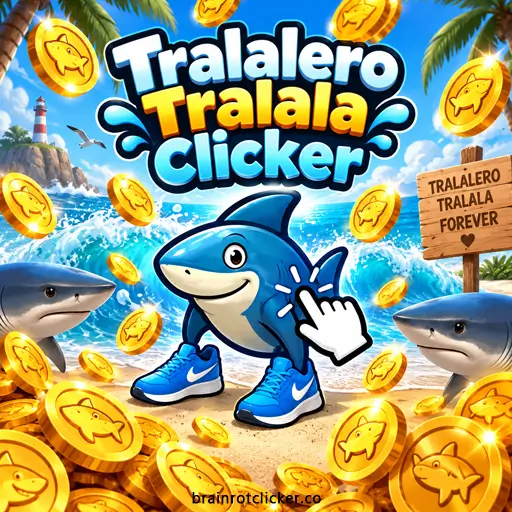

Tralalero Tralala Clicker puts the sneaker-wearing shark on a beach with one simple job: turn your clicks into Brainrot. Start by clicking or tapping, buy upgrades from the shop, and build an income that no longer depends entirely on your fingers. Along the way, the shark picks up new looks, from a gold chain and top hat to a ghostly appearance and an all-gold finish.
Play Tralalero Tralala Clicker here, then use this guide to make sense of the upgrade prices, the temporary 2× meter, and the 16-choice skin gallery. If you came from Brainrot Clicker, this is a separate game with its own progress. It belongs to both our Clicker Games and Idle Games collections.
What Is Tralalero Tralala Clicker?
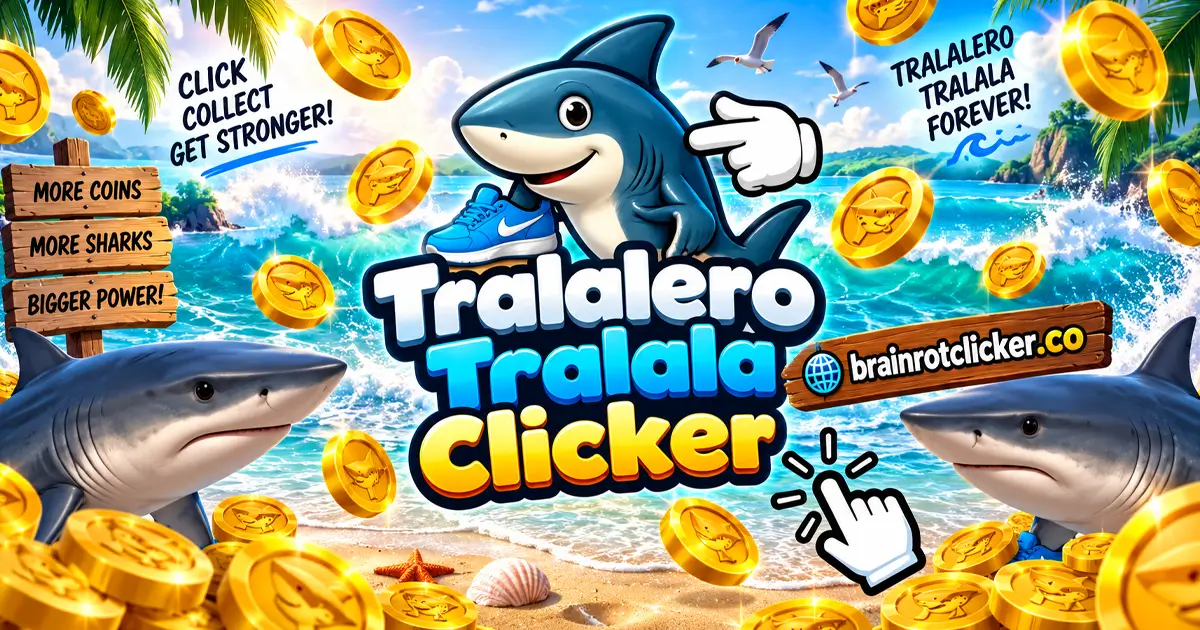
Tralalero Tralala Clicker is a browser clicker starring a shark wearing blue sneakers. The main loop is earning Brainrot, spending it on stronger production, and checking the skins and weather effects you have unlocked. You begin with +1 Click Power and zero Brainrot Per Second, so your first earnings come from manual input.
The game displays little golden fish around its currency and effects. The important numbers are your spendable balance, Click Power, and Brainrot Per Second. Those counters have different jobs: the balance buys things, Click Power measures a manual action, and the per-second counter measures automatic production.
It is a game of small decisions rather than a race through a fixed sequence of stages. You can focus on active clicking, build up automatic production, or treat the gallery as your next collection goal. Improving your earning rate helps you reach the next purchase without spending every visit doing exactly the same thing.
How to Play Tralalero Tralala Clicker
- Earn your starting Brainrot. Click or tap the shark. On desktop, you can also use the spacebar while the game has keyboard focus.
- Purchase Cursor. Save 50 Brainrot, then use the Cursor card's price area to buy +1 base Click Power.
- Start automatic production. Buy Auto Click for its displayed starting cost of 125 Brainrot to add +1 Brainrot per second at the starting multiplier.
- Build a balanced shop setup. Compare the current prices and effects of manual upgrades such as Mr Clicker with automatic upgrades such as Tralalero Tralala Farm.
- Use the temporary 2× bonus. Keep clicking quickly to fill the left-side meter, then watch both production counters while doubled earnings are active.
- Explore unlocked customization. Open the shirt and cloud menus, browse their arrows, and select an available skin or weather option.
- Continue your saved run. Return in the same browser profile and select Take if an Offline Earnings panel appears.
When you make a purchase, check the small level number on its card and the production counter it should affect. That is a clearer way to judge your progress than watching the balance alone, especially when the temporary bonus is turning on or off.
Desktop, Phone, and Tablet Controls
| Control | Action |
|---|---|
| Left-click the shark | Generate manual Brainrot and build the clicking meter. |
| Spacebar | Earn manual Brainrot when the game has keyboard focus. |
| Tap the shark | Use the main earning action on a phone or tablet. |
| Upgrade price area | Buy the displayed upgrade when you have enough Brainrot. |
| Shirt button | Open the skin gallery. |
| Cloud button | Open the weather collection. |
| Gear button | Open settings and save-file controls. |
The game works on desktop computers, phones, and tablets. Touch controls use the same on-screen shop and collection menus. If the spacebar scrolls the page, click inside the game before trying it again. If a card does not respond, check your balance and try its price area rather than repeatedly clicking the card's title.
Upgrade Prices and Production Effects
Manual upgrades add to your earnings per click. Automatic upgrades add Brainrot over time while the game runs. These are the displayed prices and listed base effects for eight identifiable cards; the values describe the upgrades before temporary or other multipliers affect your totals.
| Upgrade | Displayed price | Listed base effect | Type |
|---|---|---|---|
| Cursor | 50 | +1 per click | Manual |
| Auto Click | 125 | +1 per second | Automatic |
| Mr Clicker | 500 | +5 per click | Manual |
| Tralalero Tralala Farm | 1,100 | +6 per second | Automatic |
| President Clicker | 12,000 | +100 per click | Manual |
| Tralalero Tralala Pump | 100,000 | +200 per second | Automatic |
| King Clicker | 90,000 | +1,000 per click | Manual |
| Tralalero Tralala Factory | 315,000 | +5,000 per second | Automatic |
All prices are in Brainrot. Some cards begin as silhouettes with question marks, so read the name and effect when the card becomes available. Scroll within the shop to inspect lower cards rather than assuming the first visible rows are the whole selection.
Notice that the table follows the observed shop sequence, not a perfectly increasing price order. King Clicker costs less than Pump despite appearing after it. Position alone is not a good way to decide what you can afford or which purchase offers the best return.
Which Upgrades Should You Buy First?
Compare the Cost of the Effect, Not Just the Card
Divide a manual upgrade's price by its added Click Power. Cursor costs 50 Brainrot per added point, Mr Clicker costs 100, President Clicker costs 120, and King Clicker costs 90 at the listed prices. A larger purchase can add much more power at once without being the cheapest source of each extra point.
This makes the current price important. Cheap Cursor purchases are useful early, but do not assume every card stays available at one fixed price forever. Recheck what the shop actually shows before applying a comparison to your next purchase.
Automatic Upgrades Have Different Payback Times
For an automatic upgrade, divide cost by added production per second. At base rates, Auto Click takes 125 seconds to produce its purchase cost, Farm takes about 183 seconds, Pump takes 500 seconds, and Factory takes 63 seconds. These are calculations from the table, not a separate countdown inside the game.
The Factory comparison is particularly useful: its listed cost is much larger than Pump's, but its added production is also much larger. If you can realistically reach the price soon, compare the gain from saving against the extra income an affordable purchase would generate while you wait. The right choice depends on your current rate, not just the biggest number on the screen.
Match the Purchase to Your Playing Style
Click Power only helps when you make manual inputs. An extra +5 per click generates 20 extra Brainrot per second if you click four times per second, but adds no manual income when you stop. Automatic upgrades are less dependent on your clicking pace.
For a hands-on start, improve affordable Click Power and use that quicker income to establish automatic production. For a slower session, give the per-second counter more attention. There is no need to copy a purchase order designed for someone clicking much faster than you.
How the Temporary 2× Meter Works
The left-side meter fills during rapid clicking and displays 2× when the doubled-production state is active. Check the production counters to see the effect rather than treating the floating fish or weather as a complete explanation of your income.
With one Cursor, one Mr Clicker, and one Auto Click, the base totals are +7 Click Power and 1 Brainrot Per Second. During 2×, those become +14 and 2. Adding one Farm brings base automatic production to 7 per second; the same doubling principle applies to the active production total.
The bonus is temporary. When it ends, a lower Click Power reading does not mean a purchased level has disappeared. Compare the upgrade level numbers and the state of the meter before spending time troubleshooting a normal change in production.
Weather is separate from this meter. Rain can continue after production returns to its base rate, so the rain effect by itself does not show whether 2× is currently running.
All 16 Skin Choices in the Gallery
The shirt button opens a carousel containing the original shark and 15 alternative looks. Entries show their availability, and the selected look is marked Selected. These names match the game's gallery, including “Umbrela Tralala” and “Ester Egg Tralala.”
| Skin name | Visible look |
|---|---|
| Tralalero Tralala | The starting gray shark with blue sneakers. |
| Gangster Tralala | A gold-chain accessory. |
| Gentleman Tralala | A black top hat. |
| King Tralala | A golden crown. |
| Umbrela Tralala | A colorful umbrella. |
| Christmas Tralala | A red-and-white Santa hat. |
| Sunglass Tralala | Dark sunglasses. |
| Mexican Tralala | A sombrero. |
| Ester Egg Tralala | A decorated egg accessory. |
| Halloween Tralala | A jack-o'-lantern accessory. |
| Flower Tralala | A bright flower. |
| Masterchef Tralala | A white chef's hat. |
| Tralala & Duck | A duck companion on the shark's head. |
| Ghost Tralala | A pale shark with peach-colored sneakers. |
| 3D Glass Tralala | Red-and-blue 3D glasses. |
| Golden Tralala | A gold-colored shark and matching shoes. |
These are looks for the featured shark, not a roster of unrelated Brainrot characters. Keep an eye on unlock notifications, then use the gallery to explore the available choices. For improving production, follow the upgrade descriptions and income counters rather than assuming a hat or a different color supplies a bonus.
The carousel is also useful for planning your next collection goal. You can preview a locked look without treating it as already owned, then return to the gallery when an unlock notification appears.
Weather and Customization
The cloud menu contains six choices: Normal, Rain, Sunny, Star Rain, Windy, and Snowing. Normal is selected at the beginning; other entries can be locked until you unlock them. Use the arrows to browse, then choose an available effect.
Skins and weather give you separate ways to change the scene. A gold chain changes the shark's appearance, while Rain adds a weather effect around the play area. Neither menu should replace checking the shop when your actual goal is faster production.
The gear menu includes separate music and sound sliders. Adjust them to suit the length of your session instead of relying on the webpage's audio alone.
Saved Progress, Return Earnings, and Backups
A normal reload can preserve your run in the same browser, including purchased upgrade levels and the selected skin. Use the same browser profile when returning. A different browser or device should not be assumed to contain the same progress automatically.
The game can also show an Offline Earnings panel after you return. It displays an amount of Brainrot and a Take button. Claim the amount shown rather than estimating a long absence from your current per-second counter; a short return reward does not establish an unlimited accumulation period or a fixed offline formula.
Settings include Save to file and a loading button labeled “Load form file.” These provide save-file controls within the game. If you use them, keep your backup somewhere recognizable and take care not to replace newer progress with an older file.
Before clearing site data to solve a problem, consider what you want to preserve. A normal refresh is different from deleting the browser storage that a game may use for a save. File controls also should not be confused with automatic account synchronization.
Beginner Tips and Browser Help
- Start with a small, measurable improvement. Buy an affordable upgrade and check which production counter changes.
- Do not judge value by shop position. Compare the current cost and effect, especially when moving into the larger cards.
- Watch for a full 2× meter. It changes the meaning of your displayed rates while active.
- Separate balance from production. Spending Brainrot reduces your balance immediately but can improve how quickly it grows afterward.
- Read collection notifications. An unlocked skin or weather effect gives you a reason to revisit its menu.
- Keep your save in mind. Try focus, connection, and normal-refresh checks before clearing browser data.
No installation is needed to play on this page. Allow the game to finish loading before using the shop, and check that an upgrade is affordable if its purchase does not go through. On a phone or tablet, use the orientation that gives you the clearest access to the cards and menu buttons.
Offline Earnings is the name of a return-reward panel, not a promise that the page will load without a connection. Start with an internet connection and keep browser-play access separate from the game's saved-progress features.
Similar Games
Ready for a change from the sneaker-wearing shark? These games offer other characters and earning loops to explore.
More Brainrot Characters
For more Brainrot-themed clicking, explore Brainrot Clicker, Italian Brainrot Clicker, Italian Brainrot Clicker 2 and Tung Sahur Clicker. Choose a collection-focused title or follow a favorite character into another upgrade loop.
Chill and Capybara Themes
For a different character style, try Chill Guy Clicker, Chill Girl Clicker, Capybara Clicker and Capybara Clicker 2. These choices keep the focus on earning and upgrades while changing the character and collection you work toward.
Other Character Clickers
Change the cast with Sprunki Clicker, Chicken Jockey Clicker and Labubu Clicker. Pick the character theme you want to explore next, then use that game's guide for its own currencies, upgrades and unlocks.
Frequently Asked Questions
Is Tralalero Tralala Clicker free to play?
Yes. You can play Tralalero Tralala Clicker for free in your browser on this page without installing the game.
How do you get automatic income?
Buy an automatic-production upgrade. Auto Click has a displayed starting price of 125 Brainrot and adds +1 Brainrot per second at the starting multiplier. Farm, Pump, and Factory are other automatic-production cards.
Can you play with the spacebar?
Yes. The spacebar generates manual income while the game has keyboard focus. Click inside the game first if the key scrolls the webpage instead.
Does the game work on phones and tablets?
Yes. Tralalero Tralala Clicker works on phones and tablets, with taps for earning Brainrot and using the on-screen shop and menus.
How many skins does Tralalero Tralala Clicker have?
The gallery has 16 choices in total: the starting shark and 15 alternative looks, including Gangster Tralala, Masterchef Tralala, Ghost Tralala, and Golden Tralala.
Are the skins different Brainrot characters?
They are variations of the featured shark, with accessories or changes to its appearance. The gallery includes hats, glasses, a duck companion, and a golden version.
Does the 2× bonus affect automatic production?
Yes. The temporary bonus doubles both Click Power and Brainrot Per Second. Check the left-side meter and both counters to see whether it is active.
Why did my Click Power fall without losing an upgrade?
The temporary 2× bonus may have ended. Compare the meter and your card levels before assuming progress was lost; the displayed total can return to its base rate while purchased levels remain.
What does the Offline Earnings panel do?
It shows a return-earnings amount that you can claim with Take. The panel does not mean the webpage can load without an internet connection.
Does the game save my progress?
A normal reload in the same browser can preserve purchases and the selected skin. Settings also include save-file controls. Do not assume automatic progress sharing between different browsers or devices.
Why is an upgrade still showing question marks?
Some cards begin as locked silhouettes with question marks. Keep progressing and check the shop again as more cards become available; do not treat a hidden effect as a known purchase benefit.
Is Tralalero Tralala Clicker unblocked everywhere?
No game can be guaranteed to work on every school, workplace, or restricted network. Access depends on that network's settings, and you should follow its rules.
Conclusion
Tralalero Tralala Clicker gives you more to consider than how quickly you can tap the shark. Compare the shop's actual prices, balance Click Power with automatic production, and watch the temporary 2× meter when interpreting your income. The eight upgrade comparisons above help explain why a more expensive card is not automatically a worse deal, or a lower shop position a better one.
Build a run that suits your pace, claim any displayed return earnings when you come back, and explore the shark's changing looks along the way. With 16 skin choices and six weather options, you can set a collection goal while working toward your next useful purchase.
Tralalero Tralala Takes Over! | Italian Brainrot Clicker Gameplay