
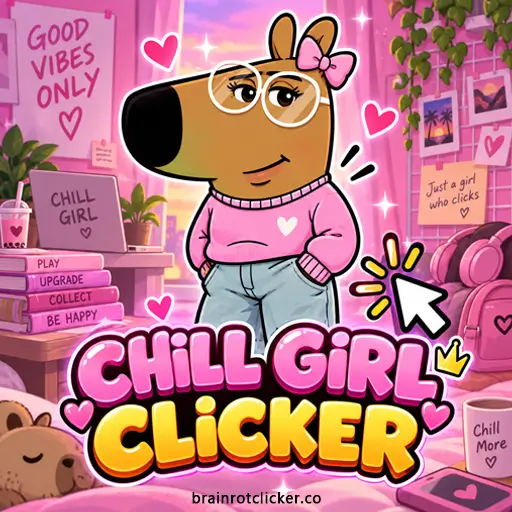




Chill Girl Clicker turns a few taps into a growing stream of points. Click the pink-sweater character, spend your balance on better clicks and automatic production, then work toward new looks and weather effects. You can play online right here, with the shop beside the character and the most useful earning numbers always in view.
It belongs in both Clicker Games and Idle Games: active tapping gets you started, while purchased upgrades keep the counter moving between taps. If you enjoy the collection-and-upgrade loop in Brainrot Clicker, this is a gentler-looking alternative with a wardrobe of its own.
What Is Chill Girl Clicker?
This is a single-player incremental game built around one decision: what should your next batch of points buy? You can improve the value of each tap, build production per second, or save for a larger upgrade. The character stays at the center of the screen; progress comes from changing the numbers around her rather than moving through a level.
The opening is simple. You begin with one point per click and no automatic production. A Cursor makes each tap stronger, and Auto Click starts an income stream that does not depend on another tap. As your balance grows, more of the shop becomes useful, and collection menus give you extra goals beyond the next purchase.
There is no opponent to dodge during this core loop. You set your own short-term target: your first automatic point, a stronger manual setup, an available outfit, or a bigger production rate. A leaderboard adds a way to compare rankings, but it does not turn the game into a live multiplayer match.
How to Play Chill Girl Clicker
- Start earning points. Click or tap the large Chill Girl character to build your starting balance.
- Buy a Cursor. Spend 50 points on Cursor to add one point to each click.
- Start automatic production. Buy Auto Click for 125 points to add one point per second while the game is running.
- Choose your next upgrade. Use Ms Clicker for more points per tap or Chill Girl Farm for more points per second, according to how you want to play.
- Build the 2× meter. Keep clicking the character to fill the left-side meter and activate the temporary doubled earning phase.
- Check the collection menus. Open the wardrobe and weather menus to select available looks and effects; locked entries are goals for later.
- Protect your progress. Use the same browser for your saved run and check Settings for Save to File and Load from File backup controls.
You do not have to buy one of everything in shop order. Some cards add points per click; others add points per second. Read that small line before purchasing. A manual upgrade can be excellent during an active clicking session and much less useful if you immediately stop tapping.
Controls and the Numbers on Screen
| Action or readout | What to do or read | Why it matters |
|---|---|---|
| Earn manually | Click the large character with the mouse, or tap her on a touchscreen | Each press uses your current Click Power. |
| Buy an upgrade | Click or tap an affordable shop card | Read per click versus per second before buying. |
| Browse more upgrades | Scroll within the shop panel | The first visible cards are not the whole shop. |
| Change appearance | Open the wardrobe icon and use the carousel arrows | Select an available look; Locked entries cannot yet be equipped. |
| Change weather | Open the cloud icon and browse the carousel | Choose available visual effects separately from outfits. |
| Click Power | Read the number at the upper right | This is manual earning power, not your saved balance. |
| Chill Girl Per Second | Read the rate beneath the balance | This is automatic production, not points from each tap. |
| Ascension Multiplier | Read the separate value beneath the shop | Do not confuse it with the temporary left-side 2× meter. |
The large total is spendable balance. Buying something can make that number fall even while your earning power improves. For example, a Farm purchase spends 1,100 points but adds six points per second. Judge the purchase by the added rate, not by whether your balance remains at its previous peak.
On a small screen, take a moment to distinguish the character from the shop and menu icons. Tapping a menu is not the same action as tapping the earning target. Phone and tablet players can use the same basic purchase decisions as desktop players; no keyboard combination is needed for the instructions above.
Upgrade Prices and Effects
The following cards show why this game is more than a race to press the character quickly. They build two different kinds of income. These are the displayed costs and card effects in this version, before applying a separate multiplier.
| Upgrade | Displayed cost | Effect per purchase | Type |
|---|---|---|---|
| Cursor | 50 | +1 per click | Manual |
| Auto Click | 125 | +1 per second | Automatic |
| Ms Clicker | 500 | +5 per click | Manual |
| Chill Girl Farm | 1,100 | +6 per second | Automatic |
| President Clicker | 12,000 | +100 per click | Manual |
| Chill Girl Pump | 100,000 | +200 per second | Automatic |
| King Clicker | 90,000 | +1,000 per click | Manual |
| Chill Girl Factory | 315,000 | +5,000 per second | Automatic |
Cursor, Ms Clicker, President Clicker and King Clicker strengthen manual earning. Auto Click, Chill Girl Farm, Chill Girl Pump and Chill Girl Factory increase production per second. In particular, Ms Clicker is not an automatic producer, and the shop’s King Clicker is not the Queen outfit in the wardrobe.
The first Cursor still showed a price of 50 after purchase, and a second purchase added another point of click power. That makes the early card useful for small, repeated improvements. Always check the current card before a later purchase rather than assuming every locked tier has identical buying rules.
The shop is not strictly sorted by price: King Clicker costs less than Chill Girl Pump despite appearing farther down. Scroll and compare what is actually affordable. A more impressive name is not a reason to skip the cost-and-effect line.
A Small Setup You Can Understand at a Glance
At the starting 1.0× Ascension Multiplier, buying one Cursor and one Ms Clicker changes manual power from 1 to 7: the original point, plus 1, plus 5. Buying one Auto Click and one Farm gives 7 points per second: 1 plus 6.
Those two sevens mean different things. One is earned by tapping once; the other accumulates over time. During the temporary 2× phase, both displayed rates become 14. When that phase ends, returning to 7 does not mean the purchased upgrades disappeared.
How the Temporary 2× Bonus Works
Clicking the character fills the pink meter on the left. When it activates, the game displays 2× and switches to a flower-filled landscape with mountains behind the character. Both manual click power and automatic production double during this phase.
Use it as an earning window. If you are already tapping, continue while the higher manual value is showing. Automatic production benefits too, so the bonus is not only for players who have ignored the idle side of the shop. Keep an eye on the readouts instead of trying to estimate the multiplier from the number of flying character icons.
Weather and the bonus are separate. Rain or snow can remain visible outside the doubled phase, so a changed-looking background is not enough to calculate your income. The useful checks are the meter, 2× indicator and current earning numbers. No fixed activation count or exact duration is needed to use the mechanic well.
Which Upgrade Should You Buy Next?
Start by deciding whether you want a stronger next tap or a stronger next minute. For active play, compare cost per added manual point. Cursor gives one extra point for 50, while Ms Clicker gives five for 500, or 100 per added point of click power. At those displayed prices, Cursor is the cheaper early source of raw manual power.
That does not mean you should ignore every larger card forever. New tiers can change the comparison sharply. King Clicker’s listed 90,000 for 1,000 added manual points works out to 90 per added point. Compare the cards you can actually afford, not just the first purchase you remember.
| Automatic upgrade | Cost ÷ added base production | What that comparison means |
|---|---|---|
| Auto Click | 125 ÷ 1 = 125 seconds | The added production alone replaces its listed cost in about 2 minutes 5 seconds. |
| Chill Girl Farm | 1,100 ÷ 6 ≈ 183 seconds | A bigger rate increase, but a longer base payback than Auto Click. |
| Chill Girl Pump | 100,000 ÷ 200 = 500 seconds | A large purchase is not automatically the best payback. |
| Chill Girl Factory | 315,000 ÷ 5,000 = 63 seconds | Its displayed base production is strong relative to its cost. |
These are simple comparisons, not countdowns promised by the game. They assume the listed added production at 1.0×, with no temporary 2× phase. Existing income, manual taps and multipliers change how quickly your total balance recovers. Factory may have a short calculated payback, but saving enough to afford it still takes time.
A practical early plan is to establish some automatic production, then choose manual purchases when you intend to keep tapping. If the next big card is still far away, ask whether a smaller purchase would shorten the wait. Avoid emptying the balance just because a card is lit up; compare the gain first.
Skins and Character Looks
The wardrobe contains 16 displayed entries, including the starting Chill Girl. That means 15 alternatives to collect, not 16 extra skins beyond the starter. Use the arrows to move through the carousel and select a look that is available in your run.
| Wardrobe name | Visual identifier |
|---|---|
| Chill Girl | Base pink sweater and jeans |
| Hair Bow | Pink bow |
| Glasses | Round glasses with a bow |
| Chaiko | Red beret, glasses and wavy hair |
| Floppy Hat | Red hat |
| Yellow | Yellow braid and red bow |
| Headphone | Blue headphones and bow |
| Wizard | Purple hat decorated with hearts |
| Cloche | Yellow hat and braid |
| Flower | Purple hair and flower-themed bag |
| Blonde | Blonde hair, heart glasses and heart bag |
| Fairy | Pointed pink hat and wings |
| Princess | Crown and red-lined cape |
| Queen | Crown, long blonde hair and purple-lined cape |
| Golden | Gold-colored body and glow |
| Super Diamond | Sparkling pale diamond-style appearance |
These are the names displayed in this game’s menu, including Chaiko and the singular Headphone. Golden and Super Diamond are separate entries near the end of the carousel. The arrows loop around to the base character, which helps you recognize when you have browsed the whole set.
A locked preview tells you the look exists; it is not evidence of a particular numerical requirement. Keep progressing and check the menu as unlock messages appear. This guide does not attach invented point totals to Golden, Queen or Super Diamond, and it does not assign a production boost to an outfit just because it looks rare.
It is also worth separating wardrobe names from upgrade names. Queen changes the character’s look; King Clicker is a manual earning card. Buying one is not the same action as selecting the other.
Weather Options and Collection Progress
| Weather option | How to identify it |
|---|---|
| Normal | The plain weather selection. |
| Rain | Falling rain streaks. |
| Sunny | The sunny option in the carousel. |
| Star Rain | The star-rain effect. |
| Windy | The windy option in the carousel. |
| Snowing | Falling snow. |
Open the cloud menu to browse these six options. Some start locked. Rain became available during early progression, and switching back to Normal removed its visible effect without changing the tested base click and automatic rates.
Use weather to make the screen comfortable to look at. It is not a substitute for reading upgrade effects, and there is no reason to budget points around an unconfirmed weather-income bonus. The audio controls in Settings let you adjust music and sound effects separately as well.
Achievement and unlock messages can appear close together. Treat them as progress notifications, but use the actual shop and earning counters for decisions. A toast on screen should not override a clearly displayed current production value.
Saving Progress, Return Rewards and Ascend
What Saves and What to Back Up
An ordinary reload in the same browser retained purchased Cursors, Auto Click, Ms Clicker and Farm, together with the selected Hair Bow appearance. The restored normal rates were eight per click and seven per second after the second Cursor purchase.
Settings contains Save to File and Load from File. These are the game’s backup controls. Keep a backup before changing browsers or experimenting with major progression actions, and follow the file prompts the game provides. Do not assume that opening the page on another device will automatically bring the same run with it.
Avoid clearing the game’s cookies and site storage casually. Private browsing, a different browser profile or a different device can give you a different local run. If progress seems missing, first check that you returned with the same browser and profile rather than immediately starting over.
Offline Earnings Is a Return Panel
The game showed an Offline Earnings panel after reloading, with a Take button to collect the displayed amount. That is useful evidence of a return reward, but it does not establish a full-day calculation, maximum away time or guaranteed rate.
It also does not mean the game webpage can be opened without internet. Playing offline and receiving a reward after returning are different features. Collect what the panel actually offers rather than multiplying your current production by every second you were away and assuming that total is owed.
Keep Ascend Separate from 2×
The shop has an Ascend control and a separate Ascension Multiplier underneath it. The multiplier begins at 1.0×, while later progression can show a higher value. This is a different system from the pink meter’s temporary doubled phase.
Do not press Ascend merely because it has become visible. Read the current information and proposed gain first, and protect your save before committing to a progression change. No universal best reset time, retention list or multiplier formula is claimed here. A stronger next run is only useful if you understand the trade-off the game is presenting.
Browser Play and Troubleshooting
You can play Chill Girl Clicker online on this page without installing a separate app. The game supports desktop, phone and tablet. On desktop, use the mouse for the character and menus; on a touchscreen, tap the same targets.
If the game is still loading, let that process finish before tapping repeatedly. If it remains stuck, check your connection and try reloading the page. Remember that restoring an existing run and loading the game for the first time are different tasks: do not clear site data as the first troubleshooting step.
If your balance seems to grow slowly, check whether you bought a manual card while expecting automatic income. If both readouts suddenly drop to half their previous values, check whether the temporary 2× phase ended. If only the visual style changed, check the weather and wardrobe selections before assuming progress has been lost.
For anyone searching for Chill Girl Clicker unblocked, availability still depends on the network you use. A browser game does not guarantee access on a school or workplace connection. Follow local rules rather than treating a search phrase as a special game mode.
Chill Girl Clicker vs. Chill Guy Clicker
Chill Guy Clicker is the closest comparison for its manual-and-automatic upgrade loop. Chill Girl gives that style a pink interface and a different wardrobe, including Fairy, Queen and Super Diamond. The shared idea does not make every menu detail interchangeable.
One useful difference is backup controls: this Chill Girl build exposes Save to File and Load from File in Settings. Do not assume a guide for another game describes the same buttons. Likewise, a Galactic or Galatic Chill Guy question should not become a made-up Chill Girl skin requirement.
Similar Games
For another session after Chill Girl, compare the chill and capybara themes below or move to a different cast of characters.
Chill and Capybara Themes
For a different character style, try Chill Guy Clicker, Capybara Clicker and Capybara Clicker 2. These choices keep the focus on earning and upgrades while changing the character and collection you work toward.
More Brainrot Characters
For more Brainrot-themed clicking, explore Brainrot Clicker, Italian Brainrot Clicker, Italian Brainrot Clicker 2, Tung Sahur Clicker and Tralalero Tralala Clicker. Choose a collection-focused title or follow a favorite character into another upgrade loop.
Other Character Clickers
Change the cast with Sprunki Clicker, Chicken Jockey Clicker and Labubu Clicker. Pick the character theme you want to explore next, then use that game's guide for its own currencies, upgrades and unlocks.
FAQ
What is Chill Girl Clicker?
Chill Girl Clicker is a single-player browser incremental game. You click or tap the character for points, buy manual and automatic upgrades, and collect different looks and weather effects.
Is Chill Girl Clicker free to play online?
Yes. You can play the browser game on this page without installing a separate app.
Can I play on a phone or tablet?
Yes. The game works on desktop, phone and tablet. Use a mouse on desktop or tap the character and menu buttons on a touchscreen.
How do I get an auto clicker in Chill Girl Clicker?
Buy the in-game Auto Click upgrade for 125 points. It adds one point per second. Chill Girl Farm adds six points per second for 1,100 points; these built-in upgrades do not require an external tool.
Does Ms Clicker produce points automatically?
No. Ms Clicker adds five points per click. It strengthens manual taps, while Auto Click and Chill Girl Farm increase production per second.
What does the 2× meter do?
Clicking fills the left-side meter. The temporary 2× phase doubles both the displayed click power and automatic production, and the background changes to a flower-filled landscape.
How many skins are in Chill Girl Clicker?
The wardrobe in this version has 16 displayed entries: the base Chill Girl look and 15 unlockable alternatives. These include Hair Bow, Wizard, Queen, Golden and Super Diamond.
How do I get Golden or Super Diamond?
Open the wardrobe and use its arrows to find Golden and Super Diamond. If an entry says Locked, it is not yet available in your run. Exact unlock thresholds are not confirmed here.
What weather options are available?
The weather menu contains Normal, Rain, Sunny, Star Rain, Windy and Snowing. Select an available option in the carousel; some effects start locked.
Does the game save progress?
An ordinary reload in the same browser retained purchased upgrades and the selected look. Settings also contains Save to File and Load from File. Avoid clearing the game’s site data, and do not assume progress automatically transfers between devices.
Does Offline Earnings mean I can load the game without internet?
No. The Offline Earnings panel is a return reward, not proof that the webpage can load without an internet connection. Its long-duration formula and cap are not confirmed here.
What is the difference between Ascend and the 2× bonus?
Ascend is associated with the separate Ascension Multiplier shown below the shop. The 2× meter is a temporary earning phase. Check the game’s current Ascend information before using it; this guide does not promise a reset formula or what every reset retains.
Is Chill Girl Clicker multiplayer?
The earning loop is single-player. A leaderboard lets you view rankings by period, but it is not a shared arena or a live match against other players.
Is this the same game as Chill Guy Clicker?
They share a clicking-and-upgrading style, but they are separate games. Chill Girl has its own character looks and menu details; do not use a Chill Guy skin requirement as a confirmed Chill Girl unlock rule.
Conclusion
Chill Girl Clicker works best when you can tell three things apart: spendable balance, points per click and points per second. Build an automatic foundation, strengthen taps when you plan to stay active, and use the temporary 2× phase while it is available. The wardrobe and six weather choices give you reasons to keep checking your collection without guessing what a locked item requires.
Start with the next useful purchase, keep an eye on the displayed rates, and protect your save before making bigger changes. That is enough to turn the first few taps into a run you understand and can keep building.
This gameplay video shows clicking, upgrades, changing character looks, weather and earning multipliers.