






Italian Brainrot Clicker is a single-player incremental game built around one simple action: click or tap the character to create Brainrot, then spend it on upgrades that make every future interaction more valuable. The opening feels deliberately simple, but character unlocks, passive income, weather themes, a 2× meter, and an ascension multiplier gradually turn it into a much deeper progression game.
It is easy to begin even if you have never played an incremental game. Active players can focus on click-power upgrades and keep the 2× bonus moving, while players who prefer idle games can invest in automatic Brainrot generation. This mixture also makes it a natural fit among our clicker games. For a broader collection system with eggs and mini-games, visit the main Brainrot Clicker game.
What Is Italian Brainrot Clicker?
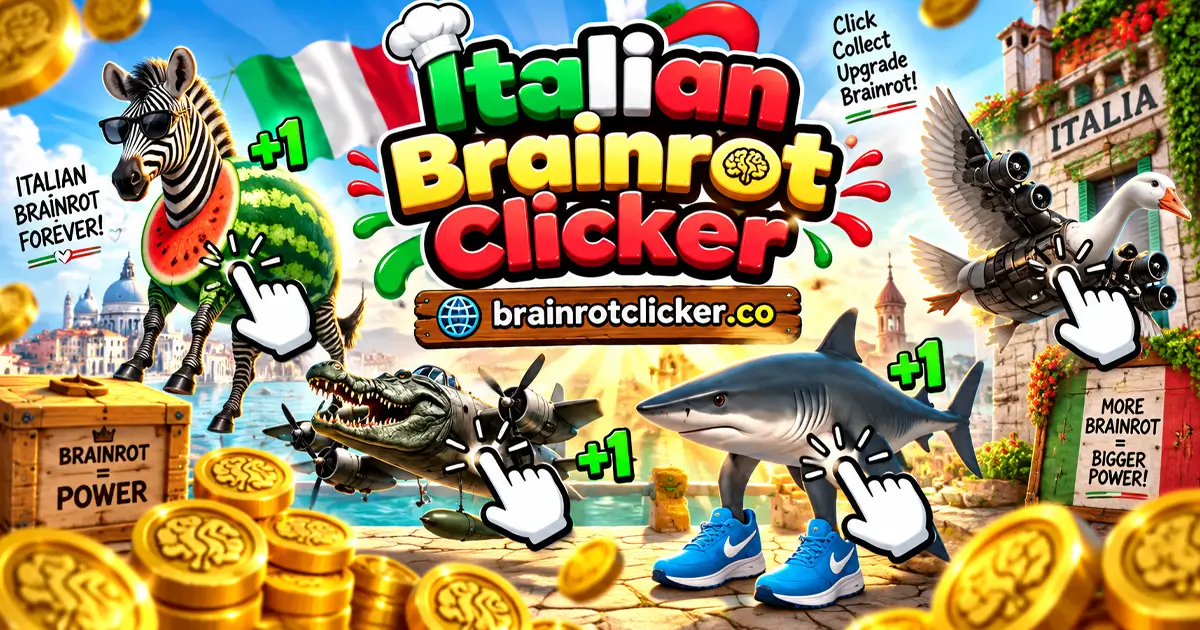
Italian Brainrot Clicker is a browser-based clicker game featuring a collection of surreal Italian Brainrot characters. Your objective is to produce as much Brainrot as possible. There is no traditional match to win, opponent to defeat, or final score that ends the game. Instead, progress comes from improving your production, revealing new content, and restarting through ascension when a stronger permanent multiplier becomes available.
The main screen contains everything needed for a run:
- A central character that can be clicked or tapped.
- Your current Brainrot total and Brainrot-per-second rate.
- An upgrade shop with active and automatic production bonuses.
- A 2× meter connected to active clicking.
- Character and weather collection menus.
- An ascension multiplier and the amount offered for the next ascension.
The game begins slowly enough to make each purchase noticeable. Later, large numbers arrive quickly, and choosing the right balance between clicking strength and passive production becomes more important.
How to Play Italian Brainrot Clicker
The basic loop is to earn Brainrot, buy an upgrade, and use the improved production to reach the next purchase faster. Follow these steps when beginning a new run:
- Click or tap the main character. Every interaction adds Brainrot to your current total.
- Buy the Cursor upgrade for 50 Brainrot. It adds one Brainrot to the value of every click or tap.
- Buy Auto Click for 125 Brainrot. This begins generating one Brainrot per second without requiring constant input.
- Balance click and passive upgrades. Increase click power when actively playing and Brainrot per second when you want steady automatic progress.
- Keep clicking to use the 2× system. The meter on the left responds to active clicking and can double the value of your production.
- Continue earning to reveal new content. Characters, visual themes, and additional shop tiers appear as the run develops.
- Ascend when the displayed multiplier is worthwhile. Ascension restarts the current upgrade run but gives the next run a much stronger production multiplier.
There is no need to rush the first ascension. If the Ascend button shows +0, you have not progressed far enough to receive a useful increase.
Controls for Desktop and Mobile
| Device | Action | Control |
|---|---|---|
| Desktop or laptop | Earn Brainrot | Left-click the central character |
| Desktop or laptop | Buy an upgrade | Left-click its card in the shop |
| Desktop or laptop | Browse the shop | Use the shop's vertical scroll area |
| Phone or tablet | Earn Brainrot | Tap the central character |
| Phone or tablet | Buy and browse upgrades | Tap cards and swipe through the shop |
| All devices | Open collections or settings | Select the corresponding icon |
The live build works correctly across desktop computers, phones, and tablets. There are no movement keys, combat commands, or complicated combinations to learn. All important actions are performed directly through the interface.
Early Upgrade Costs and Effects
The shop alternates between upgrades that strengthen manual clicking and upgrades that create Brainrot automatically. These were the first four options in the tested live build:
| Upgrade | Displayed cost | Effect per purchase | Best use |
|---|---|---|---|
| Cursor | 50 Brainrot | +1 Brainrot per click | Improving the opening clicks |
| Auto Click | 125 Brainrot | +1 Brainrot per second | Starting passive production |
| Mr Clicker | 500 Brainrot | +5 Brainrot per click | Building active click power |
| Brainrot Farm | 1,100 Brainrot | +6 Brainrot per second | Strengthening automatic income |
Each purchase increases the level shown on its upgrade card. More shop tiers are concealed at the beginning and become relevant as your total rises. This prevents the early screen from being overloaded with upgrades that are far beyond your current budget.
Click Power Versus Brainrot per Second
Click power determines how much Brainrot one manual click or touch produces. It is the better priority when you are actively interacting with the game and making use of the 2× bonus.
Brainrot per second is generated automatically. Passive upgrades are valuable because they continue building your total while you inspect the shop, collection, settings, or weather menu. They also reduce the amount of repetitive clicking needed to reach expensive tiers.
A balanced build is usually more practical than placing everything into one side. Click upgrades create short bursts of fast progress, while automatic production gives the run a stable foundation.
How the In-Game Auto Click Upgrade Works
Auto Click does not rapidly press the character for you. It adds a fixed amount to the Brainrot-per-second statistic. The first purchase costs 125 Brainrot and generates one Brainrot every second. Buying additional levels increases that automatic rate.
This distinction matters when searching for an "Italian Brainrot Clicker auto clicker." The game already contains a passive-production upgrade, so an additional clicking program is not required to progress.
How the 2× Meter Works
A vertical meter marked 2× appears on the left side of the game. Active clicking fills or maintains this system and doubles production when its bonus is operating. The bonus makes click-focused upgrades particularly effective during an active session.
Watch both the meter and the Click Power figure instead of looking only at the floating coins. If the displayed production doubles, you can reach the next upgrade much faster by continuing to click. Passive income remains valuable, but it does not replace the advantage of the active multiplier when you are present.
Characters and Skin Collection
New Italian Brainrot characters appear as progression milestones are reached. The live build also includes a collection menu where discovered characters can be reviewed and selected. Exact unlock thresholds are not displayed in the collection menu, so the reliable way to reveal more characters is to keep increasing your Brainrot total and purchasing upgrades.
The tested character selector contained these 12 names:
| Collection order | Character |
|---|---|
| 1 | Tralalero Tralala |
| 2 | Bombardiro Crocodilo |
| 3 | Tung Tung Tung Sahur |
| 4 | Brr Brr Patapim |
| 5 | Lirili Larila |
| 6 | Bobritto Bandito |
| 7 | Bombombini Gusini |
| 8 | Burbaloni Luliloli |
| 9 | Capuchino Assassino |
| 10 | Chimpanzini Bananini |
| 11 | Trippi Troppi |
| 12 | Zibra Zubra Zibralini |
The character changes are primarily part of the collection and visual progression. The production statistics are controlled by purchased upgrades and the ascension multiplier rather than an unexplained character strength rating.
Weather Themes
The weather menu adds another collection layer. Six options were visible in the live build:
- Normal
- Rain
- Sunny
- Star Rain
- Windy
- Snowing
Weather changes the presentation around the current character. For example, Rain adds falling streaks and Snowing adds snowflake effects. The weather menu did not display numerical production bonuses, so weather should be treated as visual customization rather than a required upgrade strategy.
What Does Ascension Do?
Ascension is the game's long-term reset system. After enough progress, the Ascend button offers an additional multiplier. Accepting it resets the upgrades and currency from the current run, but the stronger ascension multiplier makes the following run dramatically faster.
The bottom of the shop displays two important values:
- Ascension Multiplier: the production multiplier already active.
- Ascend + amount: the multiplier increase available if you ascend now.
Do not ascend simply because the button is visible. Compare the offered increase with the progress that will be reset. A tiny increase may not justify rebuilding the shop, while a substantial increase can let you skip through early upgrades in seconds.
When Should You Ascend?
There is no single mandatory number because the best moment depends on how actively you are playing. Use these practical rules:
- Do not ascend while the button offers +0.
- Wait until the offered multiplier will noticeably improve the next run.
- Ascend earlier if current upgrades have become very slow to reach.
- Stay in the current run longer if new characters or shop tiers are close.
- After ascending, rebuild click power first if you plan to remain active.
- Rebuild passive income early if you intend to leave the game running in the background.
Best Italian Brainrot Clicker Strategy
1. Buy One Cursor Upgrade First
The first Cursor level costs only 50 Brainrot and immediately improves every following click. Buying it early is more efficient than continuing with the original click value for too long.
2. Start Passive Income Early
Save 125 Brainrot for Auto Click soon after the first Cursor purchase. Even one Brainrot per second helps while you compare upgrades or explore the menus. Additional passive upgrades become more important as shop prices increase.
3. Match Upgrades to Your Play Style
If you are clicking continuously, prioritize the largest affordable click-power increase and take advantage of the 2× meter. If you are checking the game occasionally, direct more currency into Brainrot-per-second upgrades.
4. Compare Effects, Not Just Prices
An expensive upgrade is not automatically the best purchase. Compare how much it adds per click or per second with several levels of a cheaper option. Fixed upgrade costs mean an older tier can remain useful for longer than expected.
5. Avoid an Ascension With Little Value
The current currency total can look enormous, but the offered ascension increase is the number that matters. Continue building production until the reset will save more time than it costs.
6. Rebuild Quickly After Ascending
Your multiplier remains after the shop resets. Use the stronger starting clicks to move through Cursor, Auto Click, Mr Clicker, and later upgrades much faster than during the original run.
Does Italian Brainrot Clicker Save Progress?
Progress in the tested live build survived a normal page reload in the same browser. The Brainrot total, purchased early upgrades, passive-production rate, current character, and visual state remained available after the game loaded again.
This should not be treated as a cross-device account system. Changing browsers, using private browsing, clearing site storage, or moving to another device may prevent the existing save from appearing. There was no visible account or cloud-sync menu in the tested build.
Italian Brainrot Clicker on Phones and Tablets
The game works on desktop computers, phones, and tablets. Mobile players tap the character instead of clicking and use touch gestures to interact with the shop and menus. No virtual movement controls are needed because the game is operated entirely through its interface.
If the shop and character feel cramped on a smaller display, rotating the device can provide more room. The core mechanics remain the same across devices: tap for Brainrot, purchase upgrades, build automatic income, unlock characters, and ascend when the multiplier is worthwhile.
Italian Brainrot Clicker Unblocked and Browser Access
The game runs directly in a compatible web browser without a separate installation. Whether Italian Brainrot Clicker is unblocked on a school, workplace, or public network depends on that network's own filtering rules. The game page cannot override restrictions set by a network administrator.
If the game does not begin loading, check that scripts, browser storage, and game content are allowed. Reloading the page can help with an interrupted load, but clearing browser storage may also remove locally saved progress.
Similar Games
Continue with another Brainrot-themed game, or switch to a different character for your next clicking session.
More Brainrot Characters
For more Brainrot-themed clicking, explore Brainrot Clicker, Italian Brainrot Clicker 2, Tung Sahur Clicker and Tralalero Tralala Clicker. Choose a collection-focused title or follow a favorite character into another upgrade loop.
Chill and Capybara Themes
For a different character style, try Chill Guy Clicker, Chill Girl Clicker, Capybara Clicker and Capybara Clicker 2. These choices keep the focus on earning and upgrades while changing the character and collection you work toward.
Other Character Clickers
Change the cast with Sprunki Clicker, Chicken Jockey Clicker and Labubu Clicker. Pick the character theme you want to explore next, then use that game's guide for its own currencies, upgrades and unlocks.
Frequently Asked Questions
What is Italian Brainrot Clicker?
Italian Brainrot Clicker is a single-player incremental game where you click or tap Italian Brainrot characters, purchase active and passive production upgrades, unlock collection content, and ascend for stronger multipliers.
How do you get Auto Click in Italian Brainrot Clicker?
Purchase the Auto Click upgrade from the shop for 125 Brainrot. Its first level adds one Brainrot per second, and additional purchases increase the automatic production rate.
Does Italian Brainrot Clicker work on mobile?
Yes. The live build works on phones and tablets. Tap the character to earn Brainrot, tap upgrades to purchase them, and swipe through the shop when needed.
What does Ascend do?
Ascending resets the currency and upgrades from the current run in exchange for a stronger production multiplier. The next run begins from the early shop again but progresses much faster.
How do you unlock more characters?
Continue earning Brainrot and purchasing upgrades. Characters are revealed as progression milestones are reached, while the collection menu shows which characters have already been discovered.
Does Italian Brainrot Clicker save progress?
Progress survived a normal reload in the same browser during testing. However, clearing browser storage, using private browsing, changing browsers, or moving to another device may prevent that save from appearing.
Is Italian Brainrot Clicker unblocked?
The game runs in a web browser, but access on a school or workplace network depends on its filtering policies. The game cannot bypass restrictions established by the network administrator.
What is the best first upgrade?
Cursor is the best first purchase because it costs 50 Brainrot and improves every click. Auto Click is a strong second purchase because it begins generating Brainrot automatically.
Are there Italian Brainrot Clicker codes?
No code-entry menu was visible in the tested live build. Normal progression comes from clicking, passive-income upgrades, character milestones, the 2× system, and ascension.
Do I need to download Italian Brainrot Clicker?
No separate installation is required. The game loads and runs through a compatible web browser on desktop and mobile devices.
Conclusion
Italian Brainrot Clicker turns a very simple click-or-tap idea into a layered progression game. The strongest approach is to improve manual clicking early, establish automatic income before prices climb, use the 2× meter during active sessions, and wait for a meaningful ascension increase before resetting. Character discoveries and weather themes provide visible milestones, while the growing multiplier gives each new run a faster start.
New players can begin without learning complicated controls, but there is still room to experiment with active and passive upgrade builds. Whether you prefer constant tapping or steadier automatic growth, the important choice is how you spend each batch of Brainrot and when you decide that the next ascension is worth the reset.