






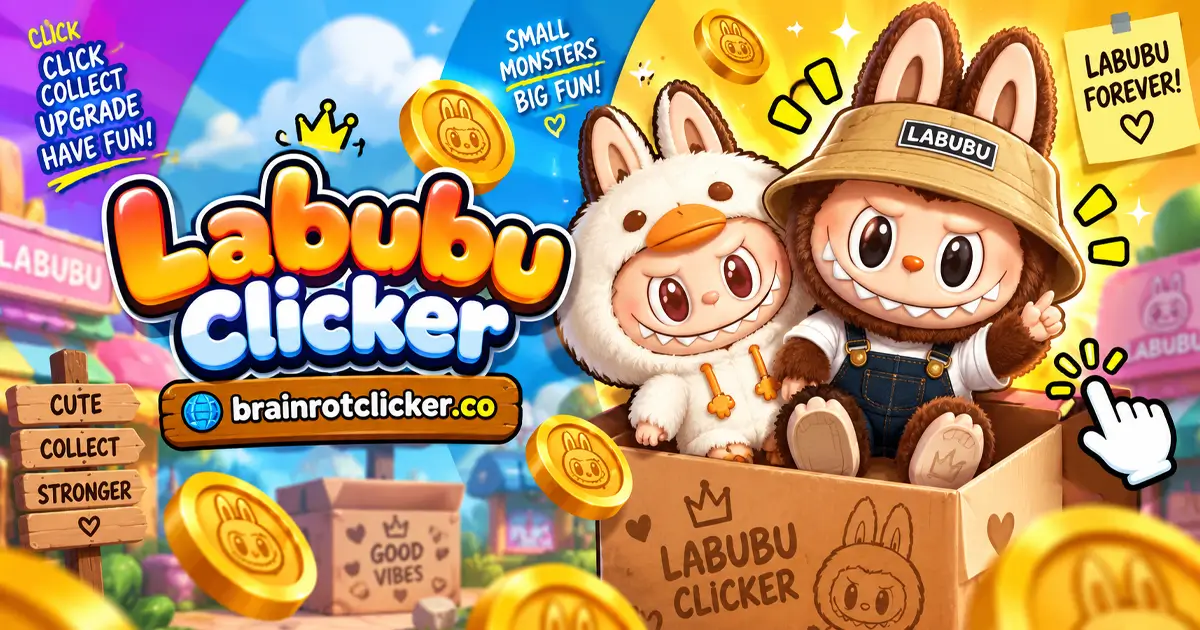
Labubu Clicker turns tapping into a growing collection of toothy little characters. Open your first blind box, choose a Labubu, and start earning points. Then use those points to strengthen each click and build automatic income while you work toward your next mystery package.
Play Labubu Clicker here on Brainrot Clicker. If you enjoyed Brainrot Clicker, the familiar earn-and-upgrade loop makes this easy to pick up, while the unboxing gives you something different to look forward to. It belongs in both our Clicker Games and Idle Games collections: you can tap actively or let purchased upgrades do part of the earning.
What Is Labubu Clicker?
Labubu Clicker is a single-player incremental game built around earning points, buying upgrades, and revealing character designs inside blind boxes. The main screen puts your character on the left and a scrollable upgrade shop on the right. Your spendable balance and automatic earning rate appear above the character, with a separate progress bar and box counter below.
The appeal is the choice between an immediate improvement and a longer-term investment. Cursor makes each tap stronger, while Auto Click keeps adding points without another tap. Better earnings help move the collection loop along, but the next sealed package still hides its appearance until you open it.
You are not steering the character through a course or fighting opponents. The important actions are clicking, buying, unboxing, and deciding where your next points will do the most good.
How to Play Labubu Clicker
Start with the opening package rather than looking for a movement tutorial. After the reveal, Use Now takes you to the earning screen. Follow these steps to build a useful starting setup:
- Open the starter box: Click the opening blind box repeatedly until it reveals a Labubu, then choose Use Now to enter the main screen.
- Earn your first points: Click or tap the character to build your balance. Check Click Power to see what each manual click earns.
- Buy Cursor: Save 50 points and buy Cursor for +1 point per click. Your normal click power rises from 1 to 2.
- Start automatic income: Save 125 points and buy Auto Click for +1 point per second. Watch Labubu Per Second to track automatic production.
- Work toward another blind box: Keep earning and reinvesting while the bottom progress bar fills. When a box becomes available, select its icon and click the package to reveal its character.
- Compare stronger upgrades: Choose Mr Clicker for +5 points per click or Labubu Farm for +6 points per second, depending on whether you want stronger tapping or more automatic income.
- Keep a backup: Open the gear menu to find Save to File. Keep your backup somewhere safe before changing browsers or clearing site data.
You do not need to finish every purchase before opening another box. The box counter lets you distinguish an available package from the percentage bar currently filling toward the next one. If you have earned a box, check its icon rather than waiting for the new progress cycle to reach 100% again.
Controls for Desktop, Phone, and Tablet
The game uses direct clicking or tapping. Aim at the character when earning manually, and at a specific card when spending points; clicking empty scenery is not the same as buying an upgrade.
| Action | Desktop | Phone or tablet |
|---|---|---|
| Earn points | Click the Labubu character | Tap the Labubu character |
| Buy an upgrade | Click its shop card | Tap its shop card |
| Reveal a box | Click the package repeatedly | Tap the package repeatedly |
| Use a revealed appearance | Click Use Now | Tap Use Now |
| Open settings | Click the gear icon | Tap the gear icon |
On a smaller screen, make sure you can see both the character and the upgrade panel before tapping quickly. If a menu covers the game, close that menu first so your input goes to the action you intended.
Understand Your Balance, Click Power, and Automatic Income
Three numbers tell you different things. Your balance is what you can spend now. Click Power is what one manual click earns. Labubu Per Second measures automatic production from the upgrades you own.
| Readout | Meaning | What to check |
|---|---|---|
| Labubu balance | Points currently available to spend | Can you afford the next card? |
| Click Power | Points generated by a manual click | Did a manual upgrade increase your taps? |
| Labubu Per Second | Automatic points generated each second | Have you bought an automatic upgrade? |
| Bottom progress bar and box counter | Progress toward a package and boxes available | Is there already a box waiting to open? |
A purchase lowers your balance because you paid for it, even though your earning power improves. That is normal. Judge an upgrade by the rate it adds, not by whether the balance immediately looks larger after buying it.
Likewise, a large balance does not mean automatic production is high. If Labubu Per Second still says zero, you need an automatic upgrade rather than more manual click power. This distinction matters most when you stop tapping and expect the total to keep rising.
Labubu Clicker Upgrades: Costs and Effects
The first four cards provide a clear comparison between manual and automatic earning. These are the early displayed costs and effects; read the current shop card before later purchases rather than assuming every upgrade follows the same pricing.
| Upgrade | Displayed cost | Effect per purchase | Type |
|---|---|---|---|
| Cursor | 50 | +1 point per click | Manual |
| Auto Click | 125 | +1 point per second | Automatic |
| Mr Clicker | 500 | +5 points per click | Manual |
| Labubu Farm | 1,100 | +6 points per second | Automatic |
Cursor and Mr Clicker: Stronger Manual Taps
Cursor costs 50 and adds +1 point per click. Starting from normal Click Power of 1, a single Cursor purchase brings that to 2. Mr Clicker costs 500 and adds +5 per click, making it a larger manual improvement once you can afford it.
Do not read Mr Clicker as an automatic helper simply because of its name. Its card says points per click. If you leave the character untouched, that particular improvement is not the source of your per-second income.
At the displayed early prices, five Cursor purchases cost 250 and add the same +5 manual power as one 500-point Mr Clicker purchase. That comparison is useful while those card prices remain unchanged. Recheck the live price and effect before extending the comparison to later stages.
Auto Click and Labubu Farm: Earning Between Taps
Auto Click costs 125 for +1 point per second. Labubu Farm costs 1,100 for +6 per second. Both improve the automatic readout rather than requiring you to click six extra times yourself.
For a simple base-rate comparison, six Auto Click purchases at 125 each would cost 750 and add +6 per second. That is less than the displayed 1,100 Farm price for the same increase. The more expensive card is not automatically the better value just because its individual number is bigger.
These examples compare the shop's early values, not every future multiplier or upgrade. Use them as a way to read the shop: divide cost by the extra earning rate, and compare like with like. A per-click improvement and a per-second improvement cannot be ranked fairly without considering how often you actually tap.
Blind Boxes and Your Labubu Collection
The first unboxing introduces the collection before you begin building income. Later, earning fills the bottom progress bar; completing a cycle makes another box available. Select the package icon, then keep clicking the box through its opening animation.
The reveal screen shows the character and a rarity label. Common is one label you can see, but a rarity label is not a published probability. Do not assume that a fixed number of openings guarantees a particular design or that rapid clicking changes what is inside.
Choose Use Now when you want the revealed appearance on the main screen. The visual change is easy to notice, while the earning numbers still come from your upgrades and any active multiplier. A different outfit is not, by itself, proof of a higher earning rate.
Why the Box Counter and Percentage Can Look Different
The percentage shows the current progress cycle; the counter shows packages available to open. After one cycle completes, you may see a low percentage alongside a box already waiting. You have started working toward another package rather than lost the one you earned.
Check for the notification by the box icon before assuming the game has stopped awarding boxes. Opening a package and earning toward another are separate parts of the loop. Start with the available package rather than waiting through another full progress cycle.
Focus on Reveals, Not Unproven Rarity Tricks
If you want more chances to see new designs, improve your earnings and keep opening the packages you earn. That is a practical goal you can control. Exact drop rates, a complete character total, and a guaranteed rare-box method are not needed to make a good early upgrade decision.
How the 2× Meter Changes Your Earnings
Rapid clicks build the meter on the left. When the doubled phase activates, the scene becomes more colorful and the earning readouts increase. For example, a normal setup with one Cursor and one Auto Click has 2 manual points and 1 automatic point per second; during 2×, those readouts become 4 and 2.
With one Cursor, one Mr Clicker, one Auto Click, and one Farm, the normal rates are 7 per click and 7 per second. During 2× they become 14 per click and 14 per second. That is a change in production, not a multiplication of every point already sitting in your balance.
If Click Power later falls from 14 to 7 without a purchase, check the meter before treating it as a lost upgrade. The temporary phase can end while the purchased upgrade levels stay the same. Use the normal readout for long-term comparisons and take advantage of the faster phase while it is active.
Practical Tips for Faster Progress
Buy an Improvement Instead of Only Chasing a Bigger Balance
Saving indefinitely leaves your starting clicks weak. Early Cursor purchases make the next stretch of tapping more productive, and Auto Click gives you a baseline between taps. Keep some attention on your rates rather than treating an unspent total as the only sign of progress.
Match Purchases to the Way You Are Playing
Manual upgrades suit an active tapping session. Automatic upgrades are useful when you want the total to advance with less repeated input. A mixed setup lets tapping add to an existing automatic rate instead of making you choose only one style.
As a simple example, +1 per click contributes about three extra points per second if you are making three successful clicks each second. Stop clicking, and that manual contribution stops too. An automatic +1 per second has a different advantage: it does not depend on maintaining that tapping pace.
Read the Card Before Spending
Some unavailable cards show question marks until you can reach them. Do not guess their effect from the picture. Once a label and description appear, check whether it improves clicks or seconds, then compare its cost with the other cards you can currently buy.
Collect Available Boxes Without Losing Track of the Shop
Unboxing is the reward loop, but upgrades keep the points moving. After a reveal, return to the main screen and check your next useful purchase. Avoid spending a whole session watching the percentage while leaving an affordable improvement untouched.
Saving Progress, Offline Rewards, and Browser Play
Labubu Clicker works in the browser on desktop, phone, and tablet. You do not need a separate app to use the game on this page. Its simple inputs make it suitable for either a short tapping session or a slower upgrade-and-collect session.
Open the gear icon to find the settings menu. It includes separate music and sound controls, plus Save to File and a matching load-file button. A backup is worth keeping before you clear site data, move to a different browser, or change devices; a file on one device is not automatic cloud synchronization.
The run can resume after a normal reload, and this version can present an Offline Earnings panel with a Take button when you return. Collect the amount displayed. Do not assume a particular hourly reward, an unlimited absence allowance, or that the temporary 2× phase applies throughout the time away.
Offline rewards are different from offline access. A return reward does not mean the game will launch without an internet connection. If the game does not load, check your connection and let loading finish before refreshing; keep a backup before attempting changes that clear browser data.
Similar Games
After exploring Labubu's collection, choose another character-led clicker or try a different theme for your next run.
Other Character Clickers
Change the cast with Sprunki Clicker and Chicken Jockey Clicker. Pick the character theme you want to explore next, then use that game's guide for its own currencies, upgrades and unlocks.
More Brainrot Characters
For more Brainrot-themed clicking, explore Brainrot Clicker, Italian Brainrot Clicker, Italian Brainrot Clicker 2, Tung Sahur Clicker and Tralalero Tralala Clicker. Choose a collection-focused title or follow a favorite character into another upgrade loop.
Chill and Capybara Themes
For a different character style, try Chill Guy Clicker, Chill Girl Clicker, Capybara Clicker and Capybara Clicker 2. These choices keep the focus on earning and upgrades while changing the character and collection you work toward.
Labubu Clicker FAQ
What is Labubu Clicker?
Labubu Clicker is a browser idle game where you tap a Labubu for points, buy manual and automatic upgrades, and earn blind boxes that reveal character designs.
How do you open a blind box?
Select an available box, then click or tap the package repeatedly. Once the character is revealed, choose Use Now if you want to use that appearance.
How do you earn more blind boxes?
Earn points until the bottom progress bar completes its cycle. Check the box icon and its counter for an available package to open.
How do you get automatic clicking?
Buy the in-game Auto Click upgrade for 125 points. It adds +1 point per second before temporary multipliers, so you can earn without repeatedly clicking the character.
Does Mr Clicker give points per click or per second?
Mr Clicker adds +5 points per click. It is a manual-earning upgrade, unlike Auto Click and Labubu Farm, which increase points per second.
What does the 2× meter do?
Rapid clicking fills the meter and activates a temporary doubled-earning phase. Both Click Power and Labubu Per Second increase during this phase; it does not double your entire saved balance.
Can I choose which rare Labubu comes out?
The unopened box hides its character until the reveal. There is no verified selection method or guaranteed rarity trick in this guide, so do not treat a particular design as a guaranteed reward.
Can I save my Labubu Clicker progress?
The settings menu includes Save to File and a matching load-file button. Keep a backup before changing browsers or clearing browser data; progress does not automatically follow you to every device.
Does Labubu Clicker have offline earnings?
This version can show an Offline Earnings panel when you return, with a Take button to collect the displayed reward. Use the amount shown by the game rather than assuming that the full active earning rate applies for every hour away.
Can I play on a phone or tablet?
Yes. Labubu Clicker works on desktop, phone, and tablet. On touchscreens, tap the character, upgrade cards, and blind boxes instead of using a mouse.
Do I need to download an app or install Roblox?
No. This page contains the browser game, so you do not need a separate app or Roblox installation to play it.
Is Labubu Clicker unblocked on every network?
No website can guarantee access on every school, workplace, or public network. Availability depends on that network's rules and settings.
Conclusion
Labubu Clicker gives you two reasons to keep going: a better earning setup and another sealed box to reveal. Start by improving weak manual clicks, add automatic income, and compare the actual card values before saving for a bigger purchase. Then check the box counter, enjoy the reveal, and use the appearance you like.
You do not need a rare-character promise or a complicated trick to make progress. Pay attention to Click Power, Labubu Per Second, and the temporary 2× phase, and keep a save backup as your collection grows.
See the opening box reveal and early upgrades in this short gameplay demonstration.