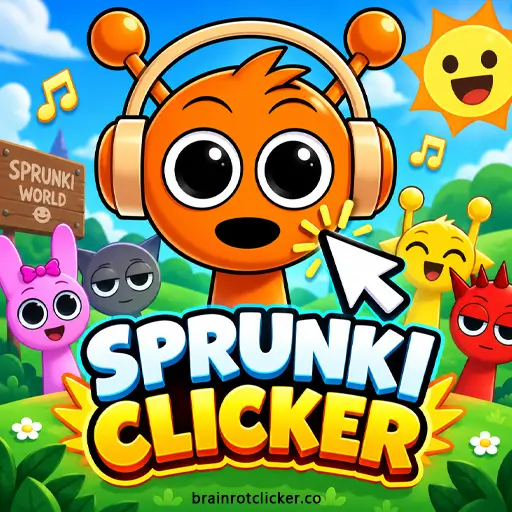
Sprunki Clicker starts with an orange character, an empty counter, and a simple choice: keep tapping, or spend your first points to make the next ones arrive faster. Click the character to earn Sprunkis, strengthen each click, and add automatic production. As the numbers grow, you can explore a cast of different characters and change the weather around them.
Play the game above, then use this guide to understand the upgrade panel and plan your next purchase. If you already enjoy Brainrot Clicker, the familiar earn-and-upgrade loop is here with a different cast and a darker surprise when the 2× meter fills. You can also explore our Clicker Games and Idle Games collections.
What Is Sprunki Clicker?
Sprunki Clicker is a single-player incremental game built around two ways to earn points: manual clicks and automatic production. You start with one point per click and no automatic income. Buying upgrades changes those numbers, letting you afford larger purchases and reach new character and weather unlocks.
The balance at the top is your spendable total. The Click Power figure tells you what a manual click is worth, while Sprunkis Per Second shows your automatic earning rate. These are different measurements: a large balance does not necessarily mean you have strong production, especially if you have been saving instead of reinvesting.
This is the idle-upgrade version, not a timed 60-second clicking contest. It also is not a sound-mixing board where you drag performers into a lineup. Musical notes accompany the action, but your main decisions concern production, spending, and customization.
How to Play Sprunki Clicker
- Start earning Sprunkis: Click or tap the character in the main play area. A fresh game starts with one point per click.
- Buy Cursor: Build a balance of 50 Sprunkis, then select Cursor in the upgrade panel to add one point to each click.
- Start automatic production: Save 125 Sprunkis and buy Auto Click. It adds one Sprunki per second without requiring another manual click for every point.
- Develop both earning methods: Compare the price and effect on each available card. Buy click-power upgrades for active play and automatic upgrades for steady production.
- Use the 2× phase: Keep clicking quickly to fill the meter on the left. While the 2× effect is active, watch the higher click-power and per-second readouts.
- Explore customization: Open the shirt and weather menus to browse characters and backgrounds. Select an unlocked option to change the appearance.
- Check settings and saves: Open the gear menu for music, sound, Save to File, and Load from File controls. Keep a current backup before replacing an existing save.
Look at the two earning readouts after buying an upgrade. A manual purchase should change Click Power; an automatic purchase should change Sprunkis Per Second. Checking the relevant number makes it easier to see what your points bought and avoids mistaking a background change for an income upgrade.
Sprunki Clicker Controls
| Input or control | What it does |
|---|---|
| Left mouse button | Click the character to earn points; select upgrade cards and menu options. |
| Tap | Earn points and use the same interface on a phone or tablet. |
| Spacebar | Earn points while the game has keyboard focus. |
| Upgrade-panel scrollbar | Browse cards farther down the list. |
| Gear icon | Open settings, audio sliders, and save-file controls. |
| Shirt and weather icons | Browse character looks and weather choices. |
If Spacebar scrolls the surrounding page, click inside the game first so it receives your input. You do not need keyboard shortcuts on a touchscreen: tapping covers the main actions. Choose a screen orientation that leaves the character and upgrade panel easy to reach without covering the information you are reading.
Upgrades: Click Power vs. Automatic Income
The upgrade panel mixes manual improvements with automatic generators. Read the effect line rather than judging by a card's position or icon. A bonus measured per click helps only when you click; a bonus measured per second adds to the automatic rate.
These eight upgrade cards provide useful reference points. The effects below are the listed additions for one purchase, before temporary multipliers. They are not a claim that these are the only cards in the game.
| Upgrade | Listed price | Added production | Type |
|---|---|---|---|
| Cursor | 50 | +1 point per click | Manual |
| Auto Click | 125 | +1 point per second | Automatic |
| Mr Clicker | 500 | +5 points per click | Manual |
| Sprunki Farm | 1,100 | +6 points per second | Automatic |
| President Clicker | 12,000 | +100 points per click | Manual |
| Sprunki Pump | 100,000 | +200 points per second | Automatic |
| King Clicker | 90,000 | +1,000 points per click | Manual |
| Sprunki Factory | 315,000 | +5,000 points per second | Automatic |
For example, the starting click is worth one point. Add one Cursor and one Mr Clicker, and the base value becomes seven: one starting point, one from Cursor, and five from Mr Clicker. One Auto Click and one Sprunki Farm instead produce seven points per second automatically.
Repeated purchases build on an upgrade's effect. The small blue number on a card tracks its purchased level. If a card shows question marks, its details have not yet been revealed; keep developing the upgrades you can inspect instead of assuming every hidden card is a new character.
The list continues below the first screen. Use its scrollbar before deciding that no more upgrades are available. King Clicker and Sprunki Pump also illustrate why list order is not a price ranking: King costs 90,000, while Pump costs 100,000, and they improve different earning methods.
The 2× Meter and Dark Visual Changes
Quick clicking fills the meter on the left. When the 2× phase activates, the game displays the multiplier and raises both manual click value and automatic production. A base click value of 27 can display 54 during the effect; an automatic rate of seven can display 14.
The presentation changes too. The bright scene can become a red, eye-filled background, with darker versions of the character faces and other effects moving across the screen. That change belongs to the clicking bonus phase; it is not evidence that you have entered a separate music-composition game.
When you stop clicking quickly, watch the meter and readouts to see the effect fall away. Do not calculate your permanent production from a number displayed during 2×. Check again outside the bonus if you are comparing the lasting benefit of a purchase.
The horror-like faces may surprise someone expecting only cheerful characters. If those visuals are not what you want, take that into account before trying to maintain the rapid-clicking phase.
Characters and Customization
Open the shirt icon to browse the character gallery. The arrows move through the choices, and the menu marks the active appearance as Selected. Locked entries remain visible, so you can preview future looks without confusing a preview with an available selection.
The gallery contains 16 choices, including Oren, the starting character. The names below follow the labels in this version's menu.
| Character | How to recognize it |
|---|---|
| Oren | Orange character wearing headphones; the starting look. |
| Raddy | Red character with pointed horns. |
| Clukr | Gray character with a broad silver disc above the head. |
| Vineria | Green character with leafy hair and yellow flowers. |
| Pinki | Pink character with long ears and a small bow. |
| Brud | Brown character wearing a multicolored cap. |
| Garnold | Yellow character with a dark, rectangular visor. |
| Owakcx | Bright lime-green character with spiky hair. |
| Sky | Light-blue character with rounded ears. |
| Fun Bot | Robot with cyan eyes and yellow antenna details. |
| Durple | Purple character with horns. |
| Simon | Yellow character with angular hair and antennae. |
| Blue | Deep-blue character wearing a hood. |
| Tunner | Tan character wearing a brown hat. |
| Mr. Tree | Tree character with a brown trunk and green canopy. |
| Black | Dark character with a top hat and white tie. |
New skin notifications appear as you advance. Continue building your production and check the gallery when one appears. Buying an upgrade and seeing a notification close together does not mean that exact purchase is the sole unlock condition, so use the game's actual Locked and Selected labels to track availability.
Mr Sun is not one of the entries in this gallery. If you arrived after searching for a Mr Sun clicker, a Punch game, or a Scratch project, you may have had a different Sprunki title in mind. Here, Oren, Raddy, Clukr, and the other listed characters belong to the same idle-upgrade interface.
Weather Options
The weather icon opens a separate carousel with six options: Normal, Rain, Sunny, Star Rain, Windy, and Snowing. Browse with the arrows and choose an unlocked option. This menu is separate from the character gallery, so changing the scene does not require finding a different character first.
Weather effects can remain after the 2× phase ends. Rain, for example, is not proof that your income is currently doubled. Use Click Power, Sprunkis Per Second, and the multiplier display to judge earnings; use the weather menu to choose the scene you prefer.
Which Upgrades Should You Buy First?
Start With the Way You Actually Play
Cursor is the earliest manual upgrade at 50 Sprunkis, while Auto Click starts automatic income at 125. If you plan to keep clicking, increasing click power gives immediate value. If you want the counter to move between clicks, establish automatic production instead of putting every point into the manual side.
You can combine them rather than choosing one permanently. A short active session can fund automatic purchases, and automatic production can help close the gap to a stronger click upgrade. Reassess when your play style changes instead of following a fixed shopping order for the entire game.
Compare Added Output, Not Just the Price
Cursor costs 50 for one extra point per click. Mr Clicker costs 500 for five extra points per click, which works out to 100 Sprunkis per added point of manual power. At those listed values, Cursor is more cost-efficient per unit, although several purchases are needed to match a larger improvement.
Among automatic cards, Auto Click costs 125 for one point per second. Sprunki Farm costs 1,100 for six, or roughly 183 Sprunkis per added point per second. Farther down the list, Sprunki Factory costs 315,000 for 5,000 per second, a ratio of 63. These comparisons explain why a later purchase can be worth saving for even when a cheaper card remains available.
Those ratios are arithmetic from the cards, not a promise of the fastest route. They leave out your existing production, clicking speed, temporary bonuses, and the time needed to reach each price. Use them to compare options you can realistically afford.
Know When a Purchase Will Help You
A manual upgrade that adds five points per click contributes 15 extra points per second if you make three clicks per second. If you stop clicking, that manual contribution stops too. An automatic upgrade does not depend on maintaining that clicking rate while the game is running.
Spend with a next target in mind. You might buy an affordable improvement to shorten the wait, or save for a much stronger generator. Avoid repeatedly draining the balance on small purchases without checking whether they are moving you toward the card you actually want.
Saving Progress, Offline Earnings, and Settings
Purchased upgrades and the current character persisted through a normal browser reload in testing. Returning also displayed an Offline Earnings panel with a Sprunki reward and a Yes button. Acknowledge that panel to get back to the main screen.
This return reward is different from playing without an internet connection. Do not assume the game can load offline, that rewards continue forever, or that a save automatically follows you to another device. Staying in the same browser and keeping its site data gives you the most straightforward way to return to existing progress.
The gear menu includes separate music and sound sliders, plus Save to File and Load from File buttons. Keep a recent backup before loading an older file or changing browsers. The presence of those buttons should not be confused with a cloud account or automatic device synchronization.
If progress matters to you, avoid clearing site data casually and do not rely on a private browsing session to retain it. Close and reopen normally before making larger browser changes, and keep your own backup organized so an old file does not get mistaken for your latest one.
Browser and Touchscreen Play
You can play on desktop, phone, or tablet using the embedded game on this page. The core actions are the same across devices: click or tap to earn, select cards to buy, and use the menus for customization and settings.
If the game is slow to respond, let its initial loading finish before clicking repeatedly. Try closing unnecessary browser tabs or reloading once after checking that your progress is saved. If only keyboard input is unresponsive, focus the game again; that is different from a loading problem.
Similar Games
When you want a change from Sprunki, try another character clicker or explore the Brainrot, chill and capybara themes.
Other Character Clickers
Change the cast with Chicken Jockey Clicker and Labubu Clicker. Pick the character theme you want to explore next, then use that game's guide for its own currencies, upgrades and unlocks.
More Brainrot Characters
For more Brainrot-themed clicking, explore Brainrot Clicker, Italian Brainrot Clicker, Italian Brainrot Clicker 2, Tung Sahur Clicker and Tralalero Tralala Clicker. Choose a collection-focused title or follow a favorite character into another upgrade loop.
Chill and Capybara Themes
For a different character style, try Chill Guy Clicker, Chill Girl Clicker, Capybara Clicker and Capybara Clicker 2. These choices keep the focus on earning and upgrades while changing the character and collection you work toward.
Frequently Asked Questions
What is Sprunki Clicker?
Sprunki Clicker is a single-player idle game where you click characters to earn Sprunkis, buy manual and automatic upgrades, and unlock new appearances.
Is Sprunki Clicker a music-mixing game?
No. This version focuses on earning points and buying upgrades. It has musical notes and Sprunki-themed presentation, but it does not use a drag-and-drop sound-mixing board.
How do you get automatic clicks in Sprunki Clicker?
Buy Auto Click for 125 Sprunkis. Each purchase adds one Sprunki per second. Sprunki Farm and other automatic upgrades increase that rate further.
What is the difference between click power and Sprunkis Per Second?
Click power is the value of one manual click. Sprunkis Per Second is the rate produced automatically by your purchased generators.
Why does Sprunki Clicker turn scary?
Rapid clicking can activate the 2× phase, changing the background and character faces to darker, horror-like visuals. The earning readouts also increase during that effect.
How many characters are in this version?
The inspected character menu contains 16 choices, including the starting character Oren. The gallery also includes Raddy, Pinki, Brud, Fun Bot, Mr. Tree, and Black.
Is Mr Sun in this Sprunki Clicker character menu?
Mr Sun is not listed in this version's 16-character gallery. Similar names in search results can refer to a different Sprunki game or build.
How do you unlock new Sprunki characters?
Continue earning Sprunkis and progressing through the game. New character notifications appear as you advance, and the shirt menu shows which choices are unlocked or still locked.
Can I play Sprunki Clicker on my phone or tablet?
Yes. You can play on desktop, phone, or tablet. On a touchscreen, tap the character and upgrade cards instead of using a mouse.
Can I use the keyboard to earn points?
Yes. With the game focused, Spacebar can earn points as an alternative to clicking the character. Use the mouse or touchscreen to navigate the menus.
Does Sprunki Clicker save progress?
Progress persisted through a normal browser reload in testing. Settings also include Save to File and Load from File controls. Keep the same browser data and a current backup when possible.
Does Offline Earnings mean the game runs without internet?
No. The Offline Earnings panel is a return reward shown when you reopen the game. It does not establish that the game can load and run without an internet connection.
Is Sprunki Clicker unblocked everywhere?
Access depends on your network and its rules. Browser play does not guarantee that a school, workplace, or other managed network will allow the page.
Conclusion
Sprunki Clicker is easy to start, but the useful decisions come from understanding what each purchase changes. Build click power when you want to stay active, develop automatic income for steadier progress, and compare the listed effects before spending on the next card.
The character gallery, weather choices, and dark 2× phase give the growing numbers a distinct look. Start with a few practical upgrades, watch both earning readouts, and keep a save backup as your collection grows.
This first-look video shows the opening clicks, early upgrade purchases, and increasing automatic production.