
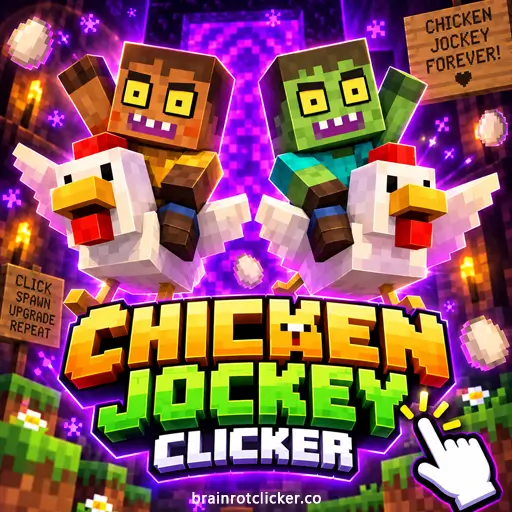






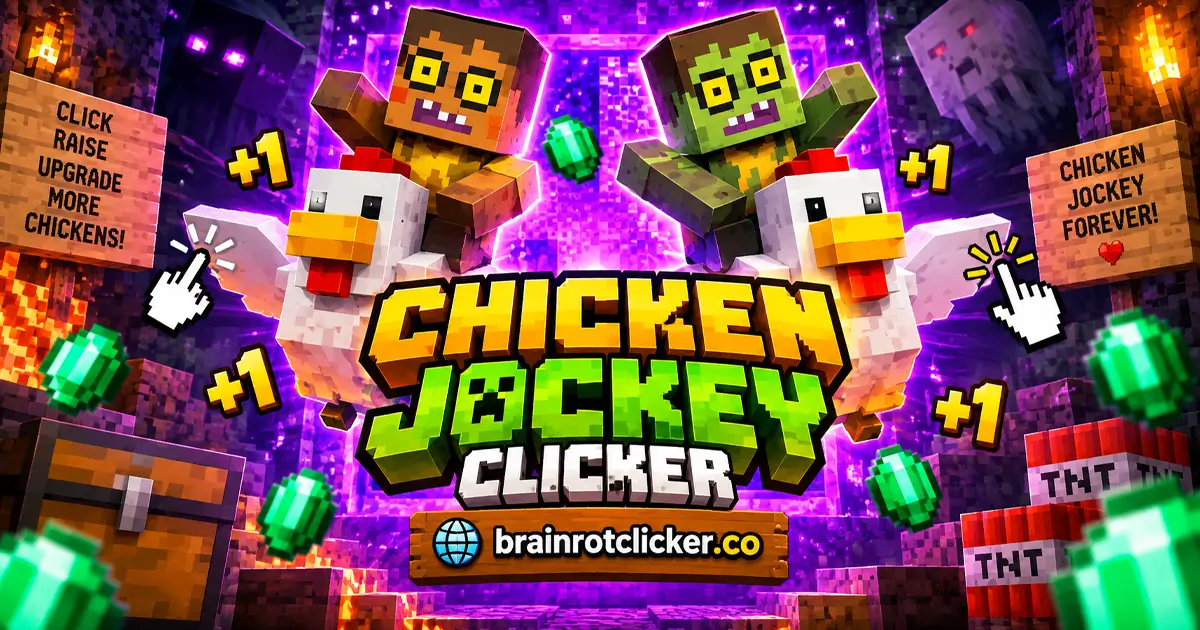
Chicken Jockey Clicker turns a blocky zombie riding a chicken into a coin-producing upgrade game. Click the jockey to earn Chicken Coins, spend them on stronger clicks or automatic production, and keep building toward your next purchase. The chicken bounces around the scene, but your real progress is in the earning numbers and the upgrades beside it.
Play above, then use the guide below to choose what to buy first. If you enjoy Brainrot Clicker, this gives the familiar clicking loop a different cast and a room full of block-style details. It fits both our Clicker Games and Idle Games collections: you can stay active with repeated clicks or develop production that runs between them.
What Is Chicken Jockey Clicker?
Chicken Jockey Clicker is a single-player incremental game. You begin with one point per click and no automatic production. Your first Chicken Coins buy improvements that make future earnings easier, creating a loop of earning, spending, and reaching more expensive cards.
There are two separate ways to grow. Manual upgrades increase the value of each click, while automatic upgrades add points every second. You can build both, but they do different jobs: a high manual value does not mean the game will produce that amount every second without your input.
The scene features a small green zombie riding a white chicken, animated effects, and a large backdrop behind the character. Despite the word jockey, this version is not about steering down a racecourse. You are managing production, not choosing a racing line, fighting opponents, or controlling a flock around a map.
How to Play Chicken Jockey Clicker
- Earn your first Chicken Coins: Click or tap the chicken jockey in the main play area. The starting click power is one, and the automatic earning rate begins at zero.
- Increase manual click power: Save 50 Chicken Coins and buy Zombie Arms. Each purchase adds one point to your manual click value.
- Start automatic income: Save 125 Chicken Coins and buy Chicken Eggs. Each purchase adds one point per second to automatic production.
- Compare your next upgrade: Read each card's price and effect. Wooden Sword adds five points per click, while Nether Chicken adds six points per second.
- Use the 2× phase: Click quickly to build the meter on the left. Check the click-power and per-second readouts while the multiplier is active.
- Reinvest in useful production: Use your growing balance to strengthen the earning method you need next. Keep checking both manual click power and automatic income instead of judging progress by balance alone.
After a purchase, check the readout that corresponds to its effect. Zombie Arms changes Click Power; Chicken Eggs changes the automatic rate. That quick check makes the shop easier to understand than simply buying whatever becomes affordable first.
Controls for Desktop and Touchscreens
| Input | Use |
|---|---|
| Left mouse button | Click the jockey to earn coins and select upgrade cards. |
| Tap | Earn coins and select options on a phone or tablet. |
| Spacebar | Earn points while the game has keyboard focus. |
| Upgrade-panel scrollbar | Browse cards farther down the list. |
On desktop, focus the game before using Spacebar. If the surrounding page moves instead, the browser may be receiving the key rather than the game. Mouse and touchscreen controls let you move directly between the character and the shop without learning a movement-key layout.
On a smaller screen, use whichever orientation keeps the character, balance, and purchase prices easy to see. Accuracy matters more than frantic tapping if your finger is covering a card or you are about to buy the wrong upgrade.
Understand the Balance and Earning Readouts
The interface shows several numbers, and each answers a different question. Treating all of them as a score makes it harder to tell whether a purchase helped.
| Readout | What it tells you | How to use it |
|---|---|---|
| Chicken Coin balance | The coins currently available to spend. | Compare it with the price of your next target. |
| Click Power | The value of a manual click. | Watch it after purchasing a per-click upgrade. |
| Chicken Coin Per Second | The automatic production rate. | Watch it after purchasing a per-second upgrade. |
| Purchased level on a card | How many of that upgrade you own. | Check repeated purchases instead of expecting each card to disappear. |
A falling balance after buying something is normal: you have spent coins to improve production. The useful question is whether the relevant earning rate rose. A smaller balance with stronger production can put you closer to a future purchase than a larger balance earned slowly.
Also separate temporary earning rates from your normal rates. The 2× phase can make the numbers look much larger without another permanent purchase. Compare upgrades outside that effect, or account for the same multiplier on both sides.
Upgrades and Automatic Income
The first four readable cards establish the shop's two main upgrade types. Their pictures fit the chicken-and-zombie theme, but their effect lines explain what you actually receive.
| Upgrade | Listed price | Added effect per purchase | Type |
|---|---|---|---|
| Zombie Arms | 50 | +1 point per click | Manual |
| Chicken Eggs | 125 | +1 point per second | Automatic |
| Wooden Sword | 500 | +5 points per click | Manual |
| Nether Chicken | 1,100 | +6 points per second | Automatic |
Zombie Arms and Wooden Sword: Stronger Manual Clicks
Zombie Arms adds one point per click for 50 Chicken Coins. Wooden Sword adds five for 500. Both improve what happens when you actively click; neither replaces the need for a per-second upgrade if you want automatic income.
For example, one Zombie Arms and one Wooden Sword raise the starting manual value from one to seven. That is one starting point, plus one from the arms, plus five from the sword. The item name does not introduce a fighting system: the sword's listed purpose here is increased click value.
Chicken Eggs and Nether Chicken: Production Per Second
Chicken Eggs starts automatic production at 125 Chicken Coins for one extra point per second. Nether Chicken costs 1,100 and adds six points per second. Owning one of each gives a base automatic rate of seven, separate from anything you earn manually.
Chicken Eggs is an upgrade name, not a second balance that must be collected from the floor. Your spending decisions use Chicken Coins. Read the card effect instead of assuming that every egg, chicken, or particle in the scene belongs to a separate resource system.
Repeated Purchases and Hidden Cards
You can buy early upgrades more than once, with the purchased level shown on the card. Another purchase adds the listed effect again. Keep an eye on both that level and the earning readout so you can see the cumulative result.
Cards farther down the list may initially show question marks. Their silhouettes and prices are not enough to identify every later effect. Work from the information the shop reveals, and use the scrollbar to check what is available before deciding where to spend.
How the 2× Bonus Works
Rapid clicking builds the meter on the left. When the 2× effect activates, the earning readouts increase. It rewards an active burst of clicking, but it should not be confused with an instant doubling of your entire saved balance.
A useful example comes from owning 23 Zombie Arms and five Wooden Swords. Including the starting point, that produces a base manual value of 49. During 2×, Click Power can show 98. Eight Chicken Eggs and one Nether Chicken similarly give 14 per second normally and 28 during the effect.
The background can change to a purple, portal-like image while the bonus is active. That is a visual change within the clicker interface, not a cue to steer into a portal or look for a new combat level. Keep watching the shop and earning numbers.
When comparing a purchase, wait until you are looking at the same multiplier state. Otherwise, a bonus ending can look like an upgrade stopped working even though the purchased level has not changed.
Skins and Visual Progression
New appearances give you another sign of progress beyond a larger balance. An early change adds a red, apple-like accessory above the rider's head. The chicken-jockey theme stays recognizable as the appearance develops.
Let unlock notifications tell you when something new becomes available. A new look and an upgrade purchase can happen close together, but that does not establish that the purchase alone caused the unlock. Keep building production rather than treating an unverified coin threshold as a guaranteed recipe.
Rain can also appear over the scene. Visual effects, a different backdrop, and a changed character should not be used as substitutes for the earning readouts. Judge production by Click Power and Chicken Coin Per Second, not by how busy the screen looks.
Tips for Faster Progress
Choose an Upgrade for the Time You Will Spend Clicking
If you are actively clicking, manual power immediately improves those clicks. If you want to take your hand off the mouse while the game stays running, automatic production is the relevant number. You do not have to develop both at the same rate.
Suppose a Wooden Sword adds five points to each click and you click three times per second. Its added manual contribution is then 15 points per second while you maintain that pace. Stop clicking and that contribution stops; automatic production does not depend on keeping the same clicking rhythm.
Compare Cost With the Added Effect
Zombie Arms costs 50 for one extra point per click. Wooden Sword costs 500 for five, or 100 Chicken Coins per added point of manual power. At those listed values, the arms are cheaper per unit, while the sword supplies a larger improvement in one purchase.
For automatic production, Chicken Eggs costs 125 per added point per second. Nether Chicken works out to about 183 per added point per second: 1,100 divided by six. That comparison is useful, but it does not mean you should ignore every larger card or follow one purchasing order forever.
These are simple comparisons from the listed prices and effects. Your best next purchase also depends on the balance you have, your existing income, and whether you intend to keep clicking. A cheap improvement can be useful when it shortens the wait for something you want more.
Use a Next-Purchase Target
Pick a card you are working toward, then decide whether a smaller purchase helps you reach it sooner. Spending every coin as soon as a card lights up can keep moving your target away if the added production is small for your current needs.
The opposite problem is saving for too long while still earning at the original rate. Early improvements matter because they change how quickly the next balance builds. Aim for a useful increase, check the result, and make the next decision from the new rate.
Take Breaks Without Confusing Idle Income With Offline Play
Automatic income means points can arrive without a manual click for each one while the game is running. It is not proof that the page will load without internet or that closed-browser earnings follow a particular formula. Plan around the earning rate you can see.
You do not need to maintain rapid clicking for an entire session. Use active bursts when you want to, then let your automatic upgrades do their job while the game remains open.
Browser Play and Progress Precautions
You can play Chicken Jockey Clicker here on desktop, phone, or tablet. The controls fit short sessions: earn a balance, make a purchase, and check the new rate. No Minecraft installation is required to use this browser game.
Allow the initial loading screen to finish before sending repeated input. If keyboard input does nothing, focus the game again. If the whole page is slow, closing unnecessary tabs may help reduce the work your browser is doing.
As a general browser precaution, avoid clearing site data casually when you want to retain game progress. Keep any backup offered by the game's own interface before replacing a save or changing browsers. Do not assume that progress automatically follows you to another device.
Browser availability also does not mean unrestricted network access. A school or workplace may block a page regardless of whether the game needs a separate installation. Follow that network's rules rather than relying on an unblocked label.
Similar Games
For a fresh clicking session after Chicken Jockey, choose another character or move to a different theme in the collection.
Other Character Clickers
Change the cast with Sprunki Clicker and Labubu Clicker. Pick the character theme you want to explore next, then use that game's guide for its own currencies, upgrades and unlocks.
More Brainrot Characters
For more Brainrot-themed clicking, explore Brainrot Clicker, Italian Brainrot Clicker, Italian Brainrot Clicker 2, Tung Sahur Clicker and Tralalero Tralala Clicker. Choose a collection-focused title or follow a favorite character into another upgrade loop.
Chill and Capybara Themes
For a different character style, try Chill Guy Clicker, Chill Girl Clicker, Capybara Clicker and Capybara Clicker 2. These choices keep the focus on earning and upgrades while changing the character and collection you work toward.
Frequently Asked Questions
What is Chicken Jockey Clicker?
Chicken Jockey Clicker is a single-player idle game where you earn Chicken Coins by clicking a blocky zombie riding a chicken, then spend those coins on manual and automatic upgrades.
How do I get automatic income?
Buy Chicken Eggs for 125 Chicken Coins. Each purchase adds one point per second. Nether Chicken costs 1,100 and adds six points per second.
What does Zombie Arms do?
Zombie Arms costs 50 Chicken Coins and adds one point per click. It improves manual clicking rather than the automatic per-second rate.
Is Wooden Sword a combat weapon in this game?
Its upgrade effect is five extra points per click. Buying it improves earning power; it is not an instruction to aim or fight an opponent.
Does the 2× effect double my whole balance?
The rapid-clicking 2× phase increases the earning readouts while it is active. It should not be confused with an instant doubling of every Chicken Coin already in your balance.
Why is my automatic income still zero?
Manual upgrades do not create automatic income. Buy a per-second upgrade such as Chicken Eggs rather than only increasing click power.
What should I buy first?
Zombie Arms is the first listed manual upgrade at 50 Chicken Coins. Chicken Eggs starts automatic production at 125. Choose according to whether you want stronger active clicks or points between clicks.
Can I play Chicken Jockey Clicker on a phone or tablet?
Yes. The game supports desktop, phone, and tablet play. Use taps on a touchscreen and a mouse on desktop.
Can I use Spacebar instead of clicking?
Yes. Spacebar can earn a point while the game has keyboard focus. Mouse or touch input is still the straightforward way to select upgrade cards.
Do I need Minecraft installed?
No. This is a browser clicker you can play on this page; it does not require launching Minecraft to use the game.
Is Chicken Jockey Clicker a multiplayer racing game?
This version is a single-player idle clicker focused on coin production and upgrades, not steering through races against other players.
Is Chicken Jockey Clicker unblocked on every network?
No browser game can guarantee that. Access depends on your network's rules, including any restrictions set by a school or workplace.
Conclusion
Chicken Jockey Clicker is straightforward once you separate the balance, manual click power, and automatic income. Start with upgrades that match how you want to play, use the 2× phase for active bursts, and compare the effect of the next card before spending.
The animated rider, changing appearance, and block-style backdrop keep the theme playful. The useful decisions remain simple: improve the right earning rate, watch what changes, and turn your next batch of Chicken Coins into better production.
This short demonstration shows early Chicken Coin earning, upgrade purchases, and the 2× phase.