
Chill Guy Clicker starts with a relaxed-looking dog, an empty counter, and one point for every click. Tap a little faster and a 2× meter comes into play. Buy your first upgrades and the counter begins to move between clicks, giving you room to slow down while you work toward the next purchase or a new look for Chill Guy.
Play Chill Guy Clicker here on Brainrot Clicker, then use the guide below to compare upgrades and explore its 16-choice skin gallery. If you enjoy our homepage game, Brainrot Clicker, this is a separate run with its own progress. You can find more games with this earning-and-upgrading loop in our Clicker Games and Idle Games categories.
What Is Chill Guy Clicker?
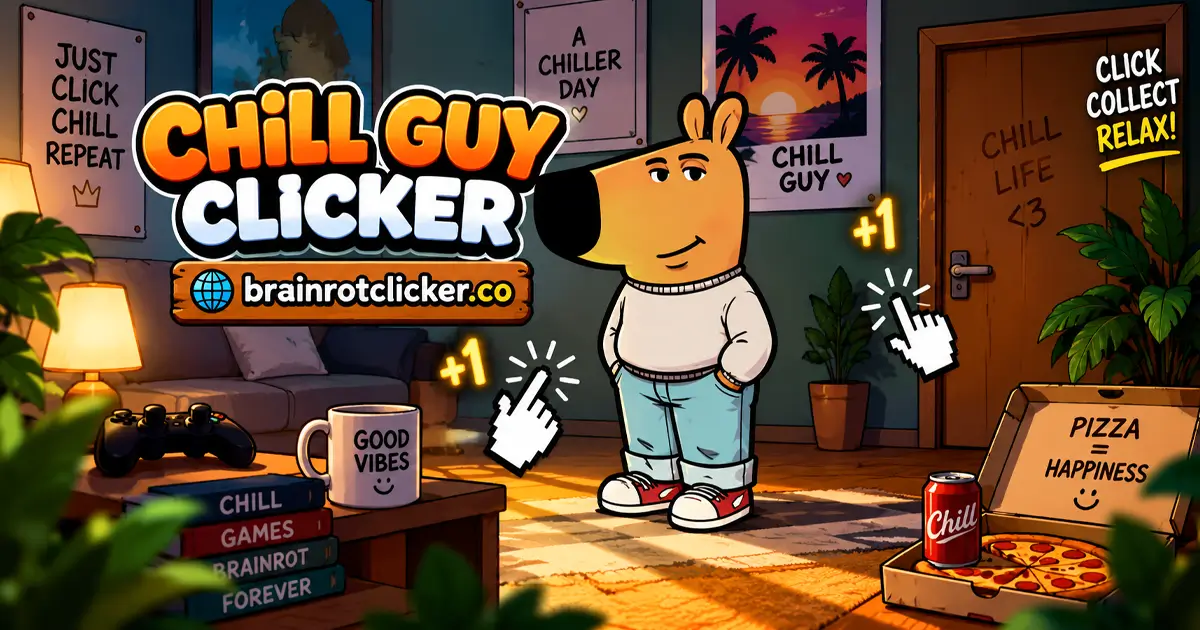
Chill Guy Clicker is a 2D browser clicker built around the laid-back dog character in a sweater, pants, and sneakers. Your main job is to earn points, spend them on production upgrades, and explore the looks and weather options that become available as you progress.
The points are represented by little Chill Guy icons. You may see them described as Chill Points, while the automatic-income label in this version reads “Chill Guy Per Second.” The large balance is what you can spend; Click Power is the value of a manual click; the per-second figure measures automatic production.
At the start, Click Power is +1 and automatic production is zero. That makes the first few purchases meaningful: a Cursor improves what each click earns, while Auto Click establishes a source of income that does not require another manual input every second.
The character stays at the center of the experience. Sometimes your next goal is an upgrade; sometimes it is a crown, a different hat, or a new weather effect. You can keep those collection goals in mind without treating every session as a test of clicking speed.
How to Play Chill Guy Clicker
- Earn your first points. Click or tap Chill Guy. On desktop, you can also press the spacebar while the game has keyboard focus.
- Buy Cursor. Save 50 points and select the Cursor upgrade to add +1 base Click Power.
- Start earning automatically. Purchase Auto Click for its displayed starting price of 125 points to add +1 point per second at the starting multiplier.
- Choose your next improvement. Compare manual upgrades such as Mr Clicker with automatic upgrades such as Chill Guy Farm, using their current prices and effects.
- Fill the 2× meter. Click rapidly to activate the temporary bonus, then check both production counters while it is running.
- Browse your collection. Open the skin or weather menu, use the arrows to inspect entries, and select an available option.
- Continue when you return. Use the same browser profile and select Take if the game displays an Offline Earnings panel.
Keep an eye on what each purchase changes. A manual upgrade should improve Click Power; an automatic upgrade should improve Chill Guy Per Second. Spending points lowers your balance immediately, but the added production can help rebuild it afterward.
Controls for Desktop, Phones, and Tablets
| Input or button | Use |
|---|---|
| Left-click Chill Guy | Earn points manually and build the clicking meter. |
| Spacebar | Generate manual income while the game has keyboard focus. |
| Tap Chill Guy | Use the main earning action on a phone or tablet. |
| Upgrade card | Purchase an affordable improvement; its price area is a useful target. |
| Skin button | Browse the character gallery. |
| Weather button | Browse available weather effects. |
| Gear button | Open settings, including music and sound controls. |
Chill Guy Clicker works on desktop computers, phones, and tablets. Touch players can use the on-screen character, shop, and menus without a keyboard. If the spacebar scrolls the webpage instead of earning points, click inside the game to give it focus.
If a purchase does not register, check the displayed price against your available balance before trying again. A card's current level is also useful confirmation that the purchase went through.
Upgrade Prices: Manual Clicks Versus Automatic Income
The shop mixes two kinds of improvement. “Per click” upgrades need your input to produce their extra income. “Per second” upgrades add automatic production while the game runs. The following table lists ten identifiable cards and their base effects, before temporary bonuses or other multipliers change the totals.
| Upgrade | Displayed price | Listed base effect |
|---|---|---|
| Cursor | 50 points | +1 per click |
| Auto Click | 125 points | +1 per second |
| Mr Clicker | 500 points | +5 per click |
| Chill Guy Farm | 1,100 points | +6 per second |
| President Clicker | 12,000 points | +100 per click |
| Chill Guy Pump | 100,000 points | +200 per second |
| King Clicker | 90,000 points | +1,000 per click |
| Chill Guy Factory | 315,000 points | +5,000 per second |
| Emperor Clicker | 22,000,000 points | +9,000 per click |
| Chill Guy Pyramid | 81,000,000 points | +100,000 per second |
Some cards begin as silhouettes with question marks. As more become available, read their actual effect rather than guessing from the picture or name. In particular, Chill Guy Pyramid supplies automatic production, despite a name that does not tell you which counter it affects.
Scroll within the shop to inspect lower cards. Do not assume the order is a perfect price ladder: King Clicker has a lower listed cost than Pump even though it appears farther down the observed sequence.
Which Upgrades Are Worth Buying?
Early Purchases: Make Each Point Do a Job
At the listed prices, Cursor costs 50 points for each added point of Click Power. Mr Clicker costs 100 per added point. That makes Cursor an efficient small purchase when its current price remains 50, while Mr Clicker gives a larger +5 improvement in one purchase.
Two Cursor purchases bring starting Click Power from +1 to +3. Add one Mr Clicker and the total becomes +8 at the starting multiplier, outside 2×. This is a useful way to check your own numbers without confusing the total with the effect of a single card.
Keep reading current prices as you progress. Repeated early purchases can show the same cost, but a useful early comparison is not a reason to stop checking the shop.
Automatic Income: Compare the Gain With the Cost
An automatic upgrade can be compared by dividing its price by the production it adds. At base rates, Auto Click takes 125 seconds to generate its own 125-point cost. Farm takes about 183 seconds to generate 1,100 points. These are simple calculations from the listed effects, not countdowns you need to wait through before the upgrades work.
The differences get larger later. Pump's listed effect takes 500 seconds to generate its cost, while Factory's takes 63 seconds. Pyramid adds more income in one purchase than Factory, but its base payback is 810 seconds at the listed price. A larger income number is therefore not automatically a better deal per point spent.
Saving can still make sense, but compare it with the production you could buy immediately. Your present balance, current rate, and the length of your session all affect that choice. Bonuses can shorten effective payback, so keep the base comparison separate from a temporarily boosted counter.
Choose Active or Slower Play
Manual power depends on how often you click. An added +5 per click gives 15 extra points per second at three clicks per second, but no extra manual income while you are looking through a menu. Automatic production is the steadier choice between bursts of tapping.
A comfortable starting approach is to buy an affordable manual improvement, establish automatic income, then adjust to how you actually play. You do not need to maintain someone else's clicking pace to make the next purchase useful.
How the Temporary 2× Bonus Works
Rapid clicking fills the left-side meter and activates the 2× state. It doubles both manual Click Power and automatic production while active. The countryside scene and flying character icons make the moment noticeable, but the meter and counters are the clearest indicators of your earning rate.
For example, two Cursor levels, one Mr Clicker, and one Auto Click give base totals of +8 Click Power and 1 per second. Under 2×, those readings become +16 and 2. One Farm adds +6 base automatic production, bringing Auto Click plus Farm to 7 per second before the temporary doubling.
If Click Power falls after you pause your tapping, check whether 2× ended. Your purchased levels can remain unchanged while the displayed production returns to normal. Rain and other weather effects are separate selections, so weather alone does not establish that the bonus is active.
All 16 Chill Guy Skin Choices
The skin menu contains Normal and 15 alternative appearances. Browse with the arrows to see available and locked entries. The names below follow the labels in this version rather than substituting names from another Chill Guy game.
| Gallery name | What changes |
|---|---|
| Normal | The starting sweater-and-pants appearance. |
| Equilibrist Chill Guy | An apple balanced on his head. |
| Witch Chill Guy | A purple witch hat. |
| King Chill Guy | A crown. |
| Mexican Chill Guy | A patterned sombrero. |
| Chill Guy and Friend | A small bird companion. |
| Super Chill Guy | A red cape and sunglasses. |
| Umbrella Chill Guy | A small umbrella accessory. |
| Noel Chill Guy | A red-and-white festive hat. |
| Sun Glasses Chill Guy | Dark sunglasses without the superhero cape. |
| Pixelated Chill Guy | A blocky, pixel-style appearance. |
| Strawhat Chill Guy | A straw hat. |
| Black N White Chill Guy | A grayscale appearance. |
| Wizard Chill Guy | A blue hat decorated with stars. |
| Robin Hood Chill Guy | A green feathered hat. |
| Galatic Chill Guy | A galaxy-filled silhouette. |
Unlock notifications give you a reason to return to the gallery, and Selected identifies the look currently in use. Treat the collection as a visual goal; use the shop descriptions and production counters when deciding how to improve earnings.
Finding Galactic Chill Guy in the Gallery
The galaxy-themed appearance is labeled “Galatic Chill Guy” in the menu, even though players often search for “Galactic Chill Guy.” Look for the silhouette filled with a space image. In the carousel order, it sits between Robin Hood Chill Guy and Normal.
The gallery lets you preview the appearance while it is locked. When an entry becomes available, select it through the skin menu. Browsing a preview does not mean the skin is already part of your unlocked collection.
Weather, Achievements, and Small Progress Goals
The weather menu has six choices: Normal, Rain, Sunny, Star Rain, Windy, and Snowing. Normal is the starting selection, and other entries can appear locked. Browse the carousel and select an available effect to change the scene.
Weather and the skin collection are different menus. A new hat changes Chill Guy's appearance; a weather selection changes the surrounding effect. Neither should be confused with buying an upgrade or permanently increasing production.
Achievement notifications mark smaller steps along the way. Examples include making the first click, reaching an upgrade level, and clicking 100 times. Read the text on each notification to understand that achievement rather than assuming every simultaneous skin or weather notification has the same requirement.
These smaller targets are useful when the next expensive purchase feels far away. You can check a collection entry or complete an early clicking goal while your automatic production keeps adding to the balance.
Saved Progress, Offline Earnings, and Settings
A normal reload in the same browser can retain purchased levels and the selected character appearance. To continue that run, use the same browser profile. Do not assume a different browser or device automatically shares its progress.
When you return, an Offline Earnings panel may show a number of points and a Take button. Use Take to claim the displayed amount. That panel confirms a return reward, but it is not a reason to calculate an unlimited offline income from your current per-second rate.
The gear menu includes separate music and sound controls. You can adjust those for the kind of session you want, whether you prefer the game's audio or a quieter background activity.
Be cautious about clearing site data when you want to keep a run. Try a normal refresh or an input-focus check first. An Offline Earnings panel also does not mean the webpage itself can load without an internet connection.
Beginner Tips and Browser Help
- Read the effect before the name. Mr Clicker improves manual input; Farm and Pyramid improve automatic production.
- Keep the balance and earning rate separate. A purchase makes the balance smaller, but can make the next points arrive faster.
- Check the meter before troubleshooting a rate change. A temporary 2× period ending can explain a sudden drop.
- Review the shop as new cards appear. Larger cards have different value per unit, and their position is not a reliable price ranking.
- Use the collections at your own pace. Previewing a look can give you a goal without forcing a particular purchase order.
- Protect your browser save. Continue in the same profile and avoid deleting site storage as an initial loading fix.
The game runs on this page without an installation. Let the playable area finish loading, then click or tap inside it. On a smaller screen, use the orientation that gives you the clearest access to the shop and collection buttons.
Similar Games
If you like Chill Guy's upgrade loop, start with another chill or capybara theme, then explore the wider character collection.
Chill and Capybara Themes
For a different character style, try Chill Girl Clicker, Capybara Clicker and Capybara Clicker 2. These choices keep the focus on earning and upgrades while changing the character and collection you work toward.
More Brainrot Characters
For more Brainrot-themed clicking, explore Brainrot Clicker, Italian Brainrot Clicker, Italian Brainrot Clicker 2, Tung Sahur Clicker and Tralalero Tralala Clicker. Choose a collection-focused title or follow a favorite character into another upgrade loop.
Other Character Clickers
Change the cast with Sprunki Clicker, Chicken Jockey Clicker and Labubu Clicker. Pick the character theme you want to explore next, then use that game's guide for its own currencies, upgrades and unlocks.
Frequently Asked Questions
Is Chill Guy Clicker free to play?
Yes. You can play Chill Guy Clicker for free on this page in your browser, without installing the game.
How do I get automatic points in Chill Guy Clicker?
Buy a per-second upgrade. Auto Click starts at a displayed price of 125 points and adds +1 per second at the starting multiplier. Chill Guy Farm and other automatic cards increase that production further.
Is Mr Clicker an automatic upgrade?
No. Mr Clicker adds +5 base points per manual click. Auto Click, Farm, Pump, Factory, and Pyramid are examples of automatic-production upgrades.
Can I use the spacebar?
Yes. The spacebar earns manual points while the game has keyboard focus. Click inside the game first if the key scrolls the webpage instead.
Can I play Chill Guy Clicker on a phone or tablet?
Yes. It works on phones and tablets using taps for the character, upgrade shop, and collection menus.
How many skins are in this version?
The gallery contains 16 choices: Normal and 15 alternative appearances, including Equilibrist, Super, Pixelated, Robin Hood, and Galatic Chill Guy.
Where is Galactic Chill Guy in the skin menu?
It is labeled Galatic Chill Guy and looks like a galaxy-filled silhouette. In the carousel, it sits between Robin Hood Chill Guy and Normal. A locked preview is not an unlocked skin.
Does 2× double automatic income too?
Yes. While the temporary bonus is active, it doubles both Click Power and the automatic production shown by Chill Guy Per Second.
Why did my production fall after I stopped clicking?
The temporary 2× bonus may have ended. Check the left-side meter and purchased card levels before assuming that an upgrade was lost.
Does Chill Guy Clicker have offline earnings?
Yes. Returning can display an Offline Earnings panel with a Take button. Claim the amount shown; this feature does not mean the game page can load without an internet connection.
Does my save move between devices automatically?
Do not assume it does. Use the same browser profile to continue your existing run, and avoid clearing site data when you want to preserve that progress.
Is this the same as Chill Guy Clicker 3D?
This page covers the 2D version with the character, right-side upgrade shop, skin carousel, and weather menu. Do not assume features from a separately named 3D version apply to this game.
Is Chill Guy Clicker unblocked on every network?
No browser game can be guaranteed to work on every school, workplace, or restricted network. Access depends on that network's settings, and you should follow its rules.
Conclusion
Chill Guy Clicker gives you a simple starting action and a few worthwhile choices around it. Build some manual power, establish automatic income, and compare the current shop effects before committing to a larger purchase. The temporary 2× meter helps explain the changing counters, while the skin and weather menus give you goals beyond a bigger balance.
Whether you prefer a short burst of tapping or a slower session with automatic production, choose upgrades that suit the time you actually want to spend. Keep the same browser for your saved run, claim any displayed return earnings, and explore the next look when it becomes available.
See clicking, shop upgrades, skins, weather effects, and automatic production in Chill Guy Clicker.